









VFD Overheating & Cooling System Failures: Causes and Fixes

Estimated reading time: 13 minutes
Variable Frequency Drives (VFDs) are vital for controlling motor speed and efficiency in industrial applications. However, VFD overheating is a common problem that can trigger fault alarms and even lead to drive failure if not addressed. An overheating VFD will often trip on over-temperature faults or shut down to protect itself, halting your operations.
In this article, we’ll explore the typical causes of VFD overheating (and cooling system failures), the symptoms to watch for, and practical steps to prevent these issues. Our goal is to help you keep your drives running cool and reliably – all in easy-to-understand terms.
Common Causes and Symptoms of VFD Overheating
Dust & Debris Buildup
Such buildup dramatically restricts airflow and leads to overheating. Dust, dirt, and blocked vents are among the most frequent culprits behind VFD cooling failures. In dusty industrial environments, debris can accumulate on intake vents, clog cooling fans, and coat internal components. This prevents the drive’s cooling system from working properly – much like a clogged air filter in a car – causing heat to build up quickly.
Over time, dust buildup can lead to overheating, which is a common cause of VFD failures. A telltale sign is visible dust on the VFD’s vents or heat sink fins, or a layer of grime on fan blades. Technicians might also notice a burning smell or unusually warm drive enclosure if the heat is severe. The drive may start tripping off with over-temp error codes whenever it runs for an extended period.
Keep An Eye On The Fans
Failed or weak cooling fans are another major cause of overheating. Most VFDs use internal fans to pull air through the unit and cool the heat-producing components. If a fan stops working (due to age, worn bearings, or electrical failure), heat will accumulate rapidly with nowhere to go. In fact, malfunctioning fans are one of the most common reasons for VFD overheating.
Symptoms of a failing fan include little or no air flow from the VFD’s exhaust vents, unusual grinding or squealing noises, or the fan blades turning intermittently (or not at all) when the drive is running. A drive with a dead fan might run fine under light load, but as soon as the motor demand increases, the temperature climbs fast and triggers a fault. Cooling system failures like this often manifest as repeated over-temperature trips despite the area around the drive being clean. If you observe the VFD’s fan isn’t spinning or air isn’t moving, that’s a clear red flag.
Are There Blocked Cooling Fans?
Blocked ventilation or cramped installation can also choke a VFD’s cooling ability. Users often mount the drive in control panels. Without adequate clearance and venting, the hot air cannot escape. For example, if an enclosure’s intake filters are clogged or its vent holes are obstructed, internal temperatures will spike.
Similarly, placing multiple drives too close together, or storing a VFD in a cabinet with poor air circulation. This can turn the area into an oven. The symptoms in these cases are often multiple drives overheating at once. Sometimes one drive is consistently running hotter than others in a better-ventilated area.
You might notice one section of a panel is always hot to the touch. The VFD’s built-in temperature readings (if available on its display) are near the upper limit.
High Ambient Temperatures
High ambient temperatures in the surrounding environment are another contributing factor. VFDs are typically designed to operate in environments up to about 40 °C (104 °F) ambient temperature. When the room or factory floor gets hotter than this (such as in the summer or near heat-generating machines), the drive’s cooling system struggles to dissipate heat effectively.
In these conditions, even a perfectly functioning VFD can overheat simply because the air it’s trying to cool with is too warm. If you find that overheating faults occur more often on extremely hot days or in an un-air-conditioned motor room, ambient heat is likely a factor.
The symptom here is a pattern: frequent thermal trips during the hottest times or when equipment is enclosed in a heat-trapping space. In tight panels, the ambient temperature inside can far exceed the outside air temperature. so it’s important to monitor how hot it gets where the VFD operates.
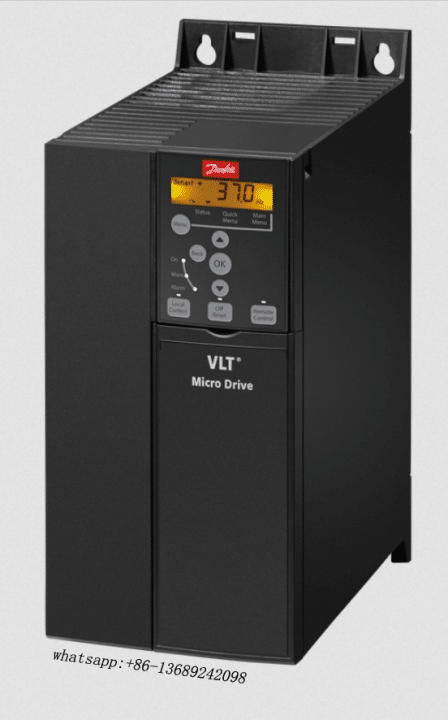
Symptoms of VFD Overheating
Symptoms of VFD Overheating: Most overheating drives show the same warning signs. First, the display flashes a thermal alarm, often “Over Temp” or “OH.” Different brands use unique codes, but they still point to heat trouble.
The drive may enter derate mode to reduce output and lower heat. It can also shut down entirely to protect its hardware. Operators then see the motor slow or stop without warning. A quick reset might restart the drive, yet it overheats and trips again soon after. Permanent fixes require solving the root cause, not just clearing the fault.
Look for fans spinning at full speed or thermostats clicking on and off. Hot plastic or electronics smells often accompany these signs. Left unchecked, occasional heat trips become frequent downtime and costly repairs.
How VFD Overheating Leads to Faults and Premature Failure
Allowing a VFD to continually overheat is more than just a nuisance – it’s damaging to the drive’s health. Every time a drive overheats, it pushes components beyond their normal limits.. Elevated temperatures degrade performance, impair reliability, and shorten the service life of a VFD.
Inside the drive, excessive heat dries out electrolytic capacitors faster and can deform or burn circuit boards. It may even cause semiconductor devices (like IGBTs and diodes) to fail. Essentially, the VFD is being “cooked” from the inside. If your drive is frequently hitting thermal trip points, those components are aging rapidly. Even if the drive manages to restart after cooling down.
Heat-Driven Component Stress
Heat-related stress also leads to frequent fault occurrences. An overheating drive will keep tripping offline to protect itself, leading to unplanned downtime and production interruptions. You might find yourself constantly power cycling the drive to reset faults, which is not only frustrating but also risky. The more a drive overheats, the greater the chance that one day it won’t reset at all.
In worst-case scenarios, a severely overheated VFD can fail catastrophically. For example, internal plastic parts might melt, or power transistors can short out. This often results in permanent damage that requires a costly repair or full replacement.
It’s important to realize that overheating is both a symptom and a cause of failure. Initially, some external factor (like a clogged filter or fan failure) causes the drive to run hot. But once it’s running hot, the heat itself causes new failures (such as a fried circuit or weakened fan) in a vicious cycle.
Beware Frequent Overheating
Frequent overheating can lead to cumulative damage – each instance potentially chipping away at the drive’s remaining lifespan. That’s why addressing cooling issues promptly is critical. The moment you notice regular over-temp warnings, you should treat it as a serious warning sign. Don’t simply keep resetting the alarm; an ongoing overheating condition will not “fix itself” and will only get worse.
In fact, modern drives include these thermal alarms for a reason: to alert you before a major failure occurs. If over-temperature alarms keep appearing, take them seriously and investigate the cause rather than ignoring them. Acting early can save your drive.
Troubleshooting and Preventing VFD Overheating
Fortunately, you can resolve or prevent most issues with proactive maintenance. Technicians can take the following steps to cool down an overheating VFD and keep it running within safe temperatures:
Routine Cleaning & Inspection
- Check the cooling fan operation. Inspect the VFD’s internal cooling fan (or fans) to ensure they are running when the drive is on. Look through the vents or use a flashlight – are the fan blades spinning properly? If the fan is not running or running slowly, that’s likely a primary cause of overheating. Listen for fan noise as well: a loud rattling or grinding fan may be near failure.
- Replace a failed cooling fan promptly, as the VFD cannot regulate its temperature without it. Many drives have inexpensive, user-replaceable fan units. Installing a new fan can immediately resolve overheating if the old one had stopped.
- Clean or replace air filters and clear the vents. Many VFD enclosures or larger drives have intake filters or screens to catch dust. Over time, these filters can become clogged with dust and oil, choking off airflow. Remove any filters and clean them (or replace them if they’re disposable).
- Vacuum or blow out dust from the vent openings and heatsink fins (after powering down the drive, of course). Even a thin layer of dust on heat sink surfaces will insulate heat and reduce cooling efficiency. By keeping the vents and internal components clean, you restore proper air circulation through the drive. Make sure nothing is physically blocking the vents. Sometimes panels, spare parts, or even rodents’ nests (like in the figure above!) can obstruct airflow.
Check Ambient Temperature
- Verify the ambient temperature and ventilation. Use a thermometer to check the air temperature around the VFD. Especially inside any cabinet or enclosure where it’s housed. If the ambient temp is above the drive’s rated limit (often around 40 °C) you’ll need to improve cooling in the room or panel.
- Increase ventilation by opening cabinet doors (as a short-term fix) or installing vent fans to exchange hot air with cooler air. In some cases, an enclosure air conditioner or heat exchanger might be necessary for very hot environments. Also ensure the drive has enough breathing room – there should be clearance as specified by the manufacturer (several inches usually) on all sides of the VFD for airflow.
- Avoid crowding other heat-producing equipment too close together. If multiple drives are in one panel, consider adding an exhaust fan or vent at the top of the panel to expel rising hot air. A cooler environment helps the VFD’s own cooling system keep up.
Inspect For Load Or Application Issues
- An often overlooked factor is whether the VFD is overworked for its capacity. Check that the drive is properly sized for the motor and the load. If a VFD is consistently running near 100% output or driving a motor that’s frequently drawing higher current than the drive’s rating, it will run hotter.
- Overloading a drive (even if it doesn’t trip an over-current fault) means extra heat inside the unit. If you suspect this, you might need to reduce the load on the motor (for example, adjust the process or use a higher capacity drive). Also verify the drive’s switching frequency setting – higher switching frequencies make a drive run hotter.
- Reducing the carrier frequency (if possible for your application) can sometimes cut heat generation. The key is to make sure the VFD isn’t being asked to do more than it was designed for, as that excess work directly translates to excess heat.
Respond To VFD Overheating Thermal Alarms – Don’t Ignore Them
- If your VFD is giving over-temperature warnings or faults, use them as a guide. The drive’s internal sensors are telling you something is wrong in the cooling system. Investigate immediately when you get a thermal alarm.
- This might involve performing the checks above (fan, dust, ambient conditions) as soon as the fault occurs. Many modern drives store error logs; check if there’s a pattern to when the overheating happens (time of day, certain operations, etc.).
- Never bypass or disable thermal sensors – they are a crucial safety feature. By addressing the alarm’s cause (cleaning filters, fixing fans, etc.) rather than just resetting it, you’ll prevent damage and avoid a larger failure down the line. In short, treat the cause, not just the symptom.
By following these steps, you can troubleshoot most overheating issues and ensure your VFD stays cool. It’s wise to incorporate these checks into a regular maintenance routine. For example, schedule a quarterly cleaning of VFD enclosures and fans, and include temperature checks during plant walk-throughs.
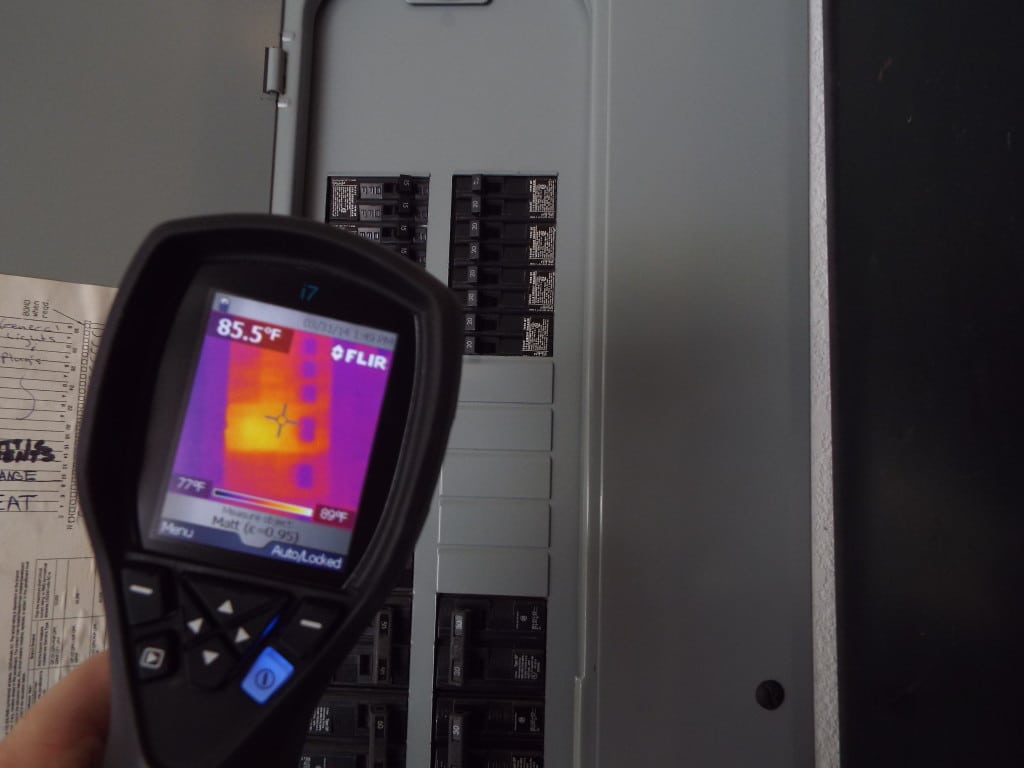
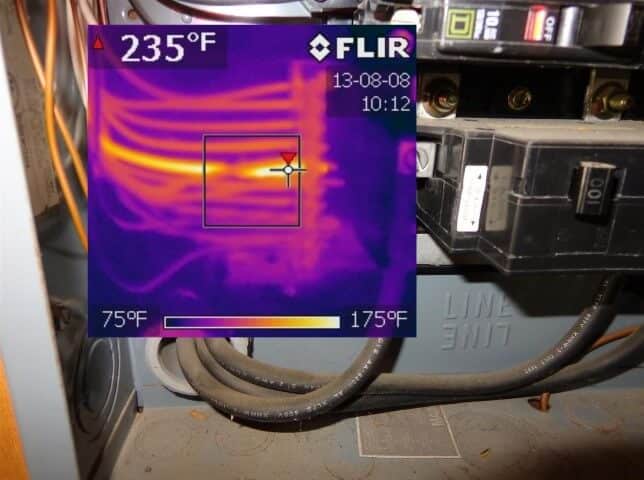
Many facilities also use thermal imaging cameras to scan drives and panels for hotspots as part of preventative maintenance. A little attention goes a long way – keeping the drive and its environment clean, cool, and well-ventilated will dramatically reduce the chance of overheating faults.
(For more tips on drive upkeep, see our related post on VFD Preventive Maintenance.)
Replacing or Upgrading a VFD Overheating for Better Cooling
If you continue to experience overheating problems despite cleaning and fan replacements, it may be a sign of deeper issues or an aging drive. An older VFD that has suffered frequent overheating might have weakened components and could be prone to fail again.
In such cases, the best long-term solution is often to replace the damaged drive with a robust new unit. Modern VFDs are built with improved cooling designs and protections. For example, newer models often have more efficient heat sinks, smarter fan control, and advanced temperature monitoring.
These advanced thermal management features (like extra sensors and automatic over-temperature shutoff) provide better protection against overheating. By upgrading, you benefit from a fresh start with a drive less likely to overheat under the same conditions.
When to Consider Replacement
When you shop for a replacement, pick a drive that matches both your application and the environment. Top-quality brands like ABB, Hitachi, and Eaton build durable VFDs with strong cooling systems and solid fault protection.
These newer drives run reliably in harsh conditions and handle higher temperatures or dusty air better than older models. If your plant keeps fighting overheating faults, swap the problem unit for a trusted brand or updated model—you’ll likely see an immediate improvement.
Certain NEMA Enclosures Are A Great Option
You might also want an enclosed VFD with a higher NEMA rating, such as NEMA 12 or 4X, to seal out dust and moisture. A sealed enclosure keeps contaminants away from the electronics and helps the drive stay cool. This can prevent dust from ever reaching the electronics.
For a wide selection of new AC Variable Frequency Drives with the latest cooling and protection technologies, you can explore Precision Electric’s product offerings. We stock a full range of AC VFDs from leading manufacturers, so you can find a unit that matches your motor requirements and includes the cooling performance you need.
Upgrading to a new VFD not only resolves the immediate overheating issue but also provides peace of mind that your system will run smoothly without constant fault interruptions.
(See our catalog of AC Variable Frequency Drives for replacement options.)
Keep Your Drives Cool – We’re Here to Help!
Maintaining proper VFD cooling is essential for maximizing the life and performance of your equipment. By understanding the causes of overheating – from dust clogging the cooling system to failed fans or high ambient heat – you can take action to prevent issues before they escalate.
Always remember to keep the drive and its surroundings clean, ensure the fans are working, and stay within safe temperature limits. These simple practices will save you from costly downtime and emergency replacements.
Next Steps
However, if you’ve done all you can and that drive still runs hot or trips out, it might be time for expert assistance or a replacement unit. Precision Electric is here to support you. We have decades of experience in VFD repair, maintenance, and sales. Our team can help diagnose stubborn overheating problems, recommend appropriate fixes, or guide you in selecting a new drive that can handle your environment. Don’t let recurring VFD faults disrupt your operations – we’re just a phone call away.
Contact Precision Electric for professional VFD troubleshooting and replacement solutions. You can reach us at 574-256-1000 or through our website’s contact page. We’ll gladly provide consultation on keeping your drives cool and your business running smoothly. With the right care – and the right drive for the job – you can put overheating issues behind you and trust that your VFDs will perform reliably for years to come.
- Product Category: AC Variable Frequency Drives – our lineup of new VFDs ready to replace aging or damaged units.






Trackbacks & Pingbacks
[…] that improves current waveform quality. For broader reliability, review our quick diagnostics on VFD overheating and ground‑fault trips, and remember that Precision Electric offers full electric motor repair if […]
[…] Technicians frequently face overvoltage on decel, nuisance overcurrent trips, and thermal derating. Accordingly, configure ramps so regenerative energy does not spike the DC bus; add a braking resistor or a regen unit if fast stopping is mandatory. Additionally, size the drive for heavy‑duty overload when the application includes frequent starts or cyclic torque peaks. Moreover, check motor nameplate amps and set the electronic overload inside the vfd controller to guard against overheating. For deeper fault coverage, see our cornerstone troubleshooting articles on overvoltage on deceleration, overcurrent and overload, and overheating and cooling failures. […]
[…] through a dual‑channel relay. For additional guidance review Precision Electric’s VFD overheating guide, ground‑fault diagnostics and parameter programming […]
[…] our rotary phase converters. For troubleshooting tips read our guides on over‑voltage faults, cooling issues, over‑current trips and our ground‑fault […]
[…] motor whenever the pump handles viscous fluids or runs at low speed for long periods. Review our cooling‑system fault guide for additional sizing […]
[…] Energy efficiency and less heat: When the drive is tuned to the motor, it avoids over-driving the motor with excess energy. The motor runs cooler and only uses the power required. This can extend the lifespan of both the motor and the drive. An improperly tuned setup might run the motor inefficiently, resulting in higher temperatures and wasted energy (and potentially contributing to overheating issues). […]
[…] remains viable on drives less than 15 years old. Our cooling failure guide shows how we restore fans and capacitors to extend service. Additionally, for soft start or phase […]
[…] Cooling fan seizure — leads to over‑temperature trips. Solution: install new high‑CFM fans and clear heatsink dust. See our cooling failure guide. […]
[…] that the unit will last when it goes back in service. For deeper diagnosis techniques, review our VFD cooling failure guide and ground‑fault checklist. Meanwhile, plants with legacy DC equipment can still benefit: our […]
[…] guide for retrofit tips that equally apply when upgrading to encoder motors. Additionally, our coolingsystem checklist helps you keep cabinets within […]
[…] Energy efficiency and less heat: When the drive is tuned to the motor, it avoids over-driving the motor with excess energy. The motor runs cooler and only uses the power required. This can extend the lifespan of both the motor and the drive. An improperly tuned setup might run the motor inefficiently, resulting in higher temperatures and wasted energy (and potentially contributing to overheating issues). […]
[…] ran too hot may have discolored boards or a melted fan. (For more on this topic, see our guide on VFD overheating and cooling system failures for prevention tips.) Replacing a bad fan is easy, but if overheating already cooked other parts, […]
Comments are closed.