








ABB ACH580 Manual: Which Document to Use and How to Install
Finding the right ABB ACH580 manual is harder than it sounds, because ABB splits the drive’s documentation across several files. This guide maps each document to the questions it answers. It then walks you through install and start-up in order, with a check after each stage.
On this page
- Which ACH580 manual do you need?
- How to match the ACH580 manual to your drive and firmware
- What you need before you start the ACH580 install
- Safety first: what ABB requires before you touch the drive
- How to install and start up an ACH580, step by step
- Step 1: Unpack and check the delivery
- Step 2: Reform the capacitors if the drive was stored
- How do I reform the capacitors, and where is the storage-time rule?
- Step 3: Select cables and fuses
- How do I pick fuse and cable sizes for my exact type code?
- Step 4: Examine the installation site
- What ambient, altitude, derating and clearance limits apply?
- How do I check supply compatibility and the EMC filter screws?
- Step 5: Mount the drive
- Step 6: Measure insulation resistance
- Step 7: Wire power and control cables
- What tightening torques apply to power, motor and control terminals?
- Step 8: Walk the installation checklist
- Step 9: Power up and run the First start assistant
- What is HVAC quick setup, and when is it used?
- Step 10: Check rotation and control
- Step 11: Back up the parameters
- Using the ACH580 firmware manual after start-up
- Common mistakes with the ABB ACH580 manual and the install
- Where to get ACH580 manuals and software
- When to call for repair or help with an ACH580
- Not running an ACH580? Check the family first
- Frequently asked questions
- Where can I download the ABB ACH580 manual?
- Is there one ACH580 user manual?
- Which firmware manual revision should I use?
- How long should I wait before working on an ACH580 after switching it off?
- Will the ACH580 start the motor by itself at first power-up?
- Is the software for setting up an ACH580 free?
Which ACH580 manual do you need?
There is no single ABB ACH580 manual. ABB publishes a hardware manual, an HVAC control program firmware manual, quick installation and start-up guides, and a US-only Installation, Operation and Maintenance manual. Each one answers different questions, so the right choice depends on the job.
What is the ABB ACH580 manual, and which documents does it include?
Think of the ABB ACH580 manual as a set of documents, not one book. The hardware manual covers mounting, wiring, ratings and safety. The firmware manual covers start-up, the control panel, parameters and fieldbus. The quick guides give the short path through both.
What is the ABB ACH580 user manual?
When people search for the ABB ACH580 user manual, they usually mean one of these documents. Most often they want the quick installation guide or the firmware manual. ABB does not publish one file with that exact title for every product type.
Is the ACH580 manual the same as the ACH580 user manual?
Yes, in everyday use the two terms point to the same set of documents. The ACH580 manual and the ACH580 user manual are not one PDF, though. Start with the quick installation guide for your product type. Then keep the hardware and firmware manuals open for detail.
ACH580 manual set by document
Use this table to pick the right file. Search for the document code in the ABB Document library.
| Document | What it answers | ABB document code |
|---|---|---|
| ACH580-01 hardware manual (0.75 to 250 kW, 1 to 350 hp) | Mechanical and electrical installation, safety, ratings, fuses, cables, maintenance | 3AXD50000044839 |
| HVAC control program firmware manual | Start-up, control panel, default I/O, program features, parameters, fieldbus | 3AXD50000027537 |
| Newer firmware manual, Part 1 | Start-up, panel and features for version 2.22 and later | 3AXD50000209811 |
| Newer firmware manual, Part 2 Parameters | Parameter lists for version 2.22 and later | 3AXD50000209828 |
| Quick installation and start-up guide, frames R1 to R5 | Short install and first start-up path | 3AXD50000044861 |
| Quick installation and start-up guide, frames R6 to R9 | Short install and first start-up path | 3AXD50000036602 |
| Quick start-up guide, HVAC control program | Panel-based start-up | 3AXD50000047658 |
| Installation, Operation and Maintenance manual (US only) | Install, operate, maintain, warnings and faults | 3AXD50000049127 |
| ACH580-31 hardware manual | Hardware for the -31 type | 3AXD50000037066 |
| ACH580-34 drive modules hardware manual | Hardware for the -34 type | 3AXD50000419708 |
| ACH580-34 quick installation and start-up guide | Short path for the -34 type | 3AXD50000424627 |
Which variants have their own manuals?
The ACH580-31 and ACH580-34 have their own hardware manuals. The E-Clipse bypass and packaged drive types also have their own manual. The US Installation, Operation and Maintenance manual covers the ACH580-BCR, -BDR, -PCR, -PDR, -VCR and -VDR types too.
How to match the ACH580 manual to your drive and firmware
A wrong match is the most common manual mistake. Firmware manuals are tied to specific control program versions, so a parameter list from another version may not fit your drive. Check three things before you open any file.
How do I find the right ACH580 manual for my drive’s type and firmware version?
- Read the type designation label on the drive. Note the product type: ACH580-01, -31, -34, or a bypass or packaged type such as ACH580-BCR.
- Note whether it is a global (IEC) type or a North American (NEC) type. ABB publishes separate quick installation guides for each.
- Read the firmware version from the panel, as shown below.
- Open the manual edition that states that version on its first pages.
For example, one firmware manual edition applies to control program version 2.15. A later edition applies to version 2.22 and later, and it is split into Part 1 and Part 2 Parameters.
How do I check the ACH580 firmware version?
On the control panel, select Menu, then System info, then Drive. You can also read parameter 07.05 Firmware version. In addition, the ACH580-31 and ACH580-34 have a separate LSU firmware version. For those, select Options, then Select drive, then QCON-21, and then open Menu and System info.
What you need before you start the ACH580 install
Gather your documents, tools and test gear first. Then the job runs without stops. Always use the quick guide that matches your product type, plus the hardware and firmware manuals for the drive’s firmware version.
What do I need before installing an ACH580?
- The matching quick guide, hardware manual and firmware manual.
- The motor nameplate data, because the First start assistant asks for it.
- A drill with bits, a screwdriver set (Torx, flat and Phillips) and a socket set (metric and SAE). The front cover screws use a T20 Torx driver.
- A tape measure, if you are not using the supplied mounting template.
- A quality voltage tester and an insulation tester that can apply 1000 V DC.
- A lifting device and fasteners that suit the wall material and the drive weight.
- Optional: a PC with Drive Composer and a USB cable to the panel for parameter backup.
The firmware manual expects you to know the basics of electricity, wiring, electrical components and schematic symbols. If that is new to you, ask a qualified electrician to do the work.
Safety first: what ABB requires before you touch the drive
The ABB ACH580 manual sets firm safety rules. Read the safety chapter of the hardware manual before you start. These are the main points.
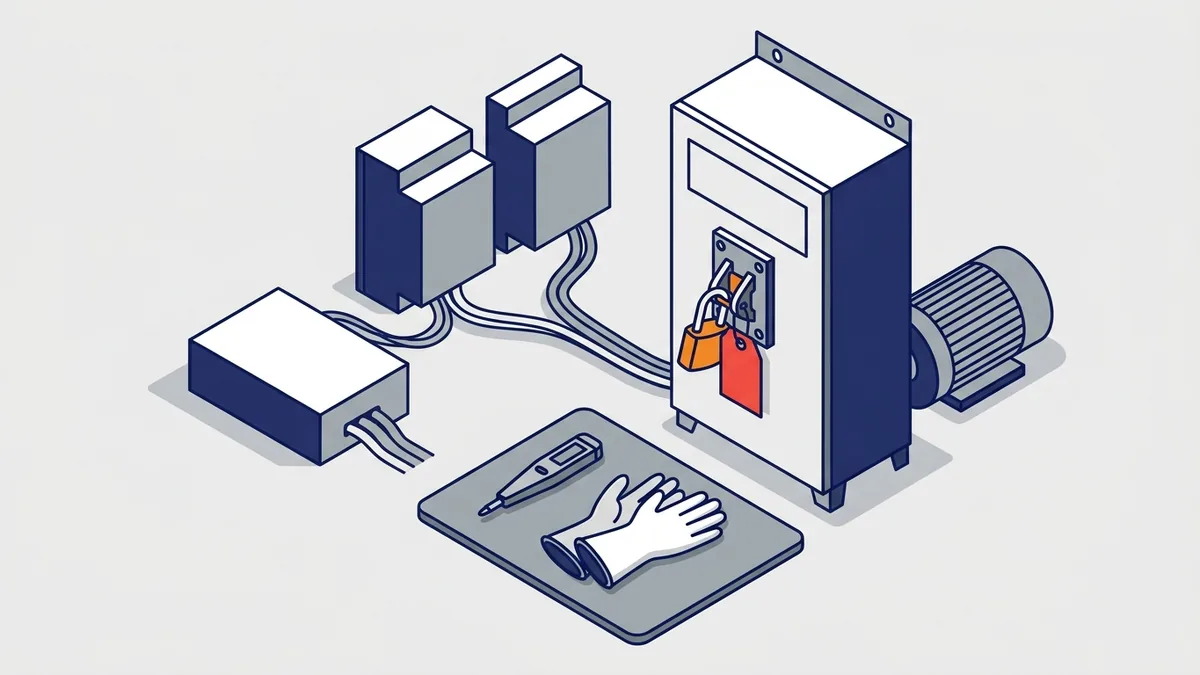
What safety precautions does ABB require before working on an ACH580?
- Isolate the drive from all dangerous voltage sources before work.
- Measure that the installation is de-energized with a quality voltage tester. Verify the tester on a known voltage source before and after you measure.
- Treat the DC and brake resistor terminals (UDC+, UDC-, R+, R-) as dangerous voltage.
- Do not work on the drive while a rotating permanent magnet motor is connected. A rotating motor like that energizes the drive, including the input and output terminals.
- Do not tilt the drive. It is heavy and has a high centre of gravity, so it can topple. All frames have lifting eyes.
- Avoid frequent power-ups, because they can damage the charging circuit of the DC capacitors.
- Have a competent person validate the Safe Torque Off (STO) function before you rely on it.
How long do I wait after power-off before touching an ACH580?
Wait 5 minutes after you disconnect input power. This lets the intermediate circuit capacitors discharge. Then confirm by measuring that there is no voltage. The wait alone is not proof of safety.
How is the Safe Torque Off (STO) function validated?
The hardware manual has an STO chapter with a validation test procedure. Follow it step by step, and do not work from memory. In short, a competent person triggers the STO circuit and checks that the drive responds as the manual describes. The test runs at commissioning and again after any change to the safety circuit. Record the result.
How to install and start up an ACH580, step by step
The quick guide for your product type is the short path. The hardware manual is the full reference. Each step below ends with a check, so pass it before you move on.
Step 1: Unpack and check the delivery
Keep the drive in its package until you are ready to install it. Then compare the delivered items with the list in the guide, such as the drive and the mounting template. Check: the type label matches your order and the ABB ACH580 manual you plan to use.
Step 2: Reform the capacitors if the drive was stored
If the drive has not been powered up for a year or more, the DC link capacitors must be reformed. The procedure is in ABB’s related documents. Check: you know the storage date, and you have done and recorded the reform if it was needed.
How do I reform the capacitors, and where is the storage-time rule?
The storage-time rule is in the maintenance part of the hardware manual, under the capacitor reforming topic. The step-by-step procedure is in ABB’s separate Capacitor reforming instructions document. Search for it in the ABB Document library. Follow that document for your drive, because it sets the supply and timing.
Step 3: Select cables and fuses
Follow local regulations. ABB recommends symmetrical shielded cable, also called VFD cable, for the input and motor cables. It gives the best EMC performance. Take fuse and cable sizes from the ratings table in the hardware manual for your exact type code. Check: cable and fuse sizes match that table.
How do I pick fuse and cable sizes for my exact type code?
First, read the full type code on the drive label. Next, find that code in the ratings tables of the hardware manual. Then read the fuse and cable values in that row. IEC types and NEC/UL types use separate values, so use the table for your region. For US types, the Installation, Operation and Maintenance manual and the NEC quick guide are the sources.
Step 4: Examine the installation site
ABB lists these site checks:
- Enough ventilation or cooling to remove heat.
- Ambient conditions within the stated limits.
- A near-vertical surface that is strong enough for the drive weight.
- A non-flammable surface and surroundings, with dripping water considered.
- No strong magnetic field sources near the drive, such as high-current single-core conductors or contactor coils.
Never install the drive upside down. It must go on a wall or in an enclosure. Check: clearances and ambient conditions agree with the hardware manual.
What ambient, altitude, derating and clearance limits apply?
The hardware manual lists the ambient temperature range, the altitude limit and the derating rules in its technical data chapter. Derating means the drive must run at lower output current when it is hot or high above sea level. Mounting clearances above, below and beside the drive depend on the frame size. Read them in the mounting chapter for your frame, and do not copy a value from another frame.
How do I check supply compatibility and the EMC filter screws?
The hardware manual has a section on supply network compatibility and one on the EMC filter and ground-to-phase varistor screws. Check your supply type against it before you connect power. Ungrounded (IT) and corner-grounded supplies need the EMC filter and varistor disconnected by removing the screws, as the manual shows. For a TT supply, follow the manual’s wording for your frame. If you are unsure, ask ABB or a qualified electrician before you power up.
Step 5: Mount the drive
This answers how to install an ACH580 on a wall. First, mark the holes with the template, then remove the template. Next, drill the holes and fit anchors or plugs. Then install the screws and leave a gap between each screw head and the surface. Finally, hang the drive on the screws and tighten them securely.
Choose fasteners that meet local requirements for the wall material, the drive weight and the application. For frames R6 to R9, the drive module weighs 42 to 103 kg (93 to 227 lb). Use a suitable lifting device and do not lift it by hand. Check: the drive sits firm and vertical, and the covers still come off.
Step 6: Measure insulation resistance
This is how to test motor and cable insulation before you connect the drive. Measure the input cable before you connect it. Then disconnect the motor cable from the drive and measure the cable and motor. Test between each phase conductor and PE at 1000 V DC.
An ABB motor must read above 100 Mohm, with the reference at 25 °C (77 °F). For other motors, use the maker’s instructions. Moisture lowers the reading, so dry the motor and measure again if you suspect it. Check: you recorded the readings and they pass.
Step 7: Wire power and control cables
Remove the front cover with a T20 Torx driver. Prepare the cable ends as the guide shows, and use grommets or conduit as needed. Ground the motor cable shield 360 degrees under the grounding clamp. Then connect the twisted shield to the grounding terminal.
Ground control cable shields at one end only, the drive end. Then attach a residual voltage warning sticker in the local language. Check: terminals are tightened to the torque in the hardware manual, and you refitted the covers in reverse order.
What tightening torques apply to power, motor and control terminals?
Torque depends on the frame size and the terminal type, so no single value fits every drive. The hardware manual lists the tightening torques for power, motor and control terminals by frame size. Look up your frame there, and use a calibrated torque tool. Do not guess, because loose terminals overheat and over-tightened ones can crack.
Step 8: Walk the installation checklist
The hardware manual has an Installation checklist chapter for use before start-up. Go through every item. Check: all items are ticked, and nothing on the motor shaft or driven machine can cause harm when it starts.
Step 9: Power up and run the First start assistant
First, confirm there is no active start command. In the HVAC default, that means DI1. The drive starts automatically at power-up if the external run command is on and the drive is in external control mode. If wrong rotation could cause damage, de-couple the driven machine.
Next, keep the motor nameplate data at hand and power up the drive. In the Main menu, select First start assistant and press Select. With the IEC quick guide, select Commission the drive, pick the localization, and follow the prompts. The assistant steps through items such as language, motor nominal values and date and time. Stop when the panel shows that first start is complete.
For ACH580-31 and -34, automatic supply voltage selection is not supported. Set parameter 95.01 Supply voltage by hand. Check: the panel confirms first start is complete, and there are no active faults.
What is HVAC quick setup, and when is it used?
The NEC-type quick guide skips the First start assistant. It uses HVAC quick setup instead. Open Menu, then Primary settings, then HVAC quick setup. For the start mode, the guide suggests Flying start (Automatic) for fans and Ramp start (Normal) for pumps.
Step 10: Check rotation and control
This shows how to check motor rotation and start from the panel. Press the Hand key on the panel to start the motor. Then watch the direction and speed.
If the direction is wrong, shut down, lock out, wait 5 minutes and swap two motor phases. Afterward, confirm that external control and the start interlock behave as you intend. Check: direction is correct.
Step 11: Back up the parameters
Save the parameter set when commissioning is done. Drive Composer entry can save and download parameters, and it connects through the USB port on the panel. Check: the backup file is saved with the drive’s serial number and firmware version in its name.
Using the ACH580 firmware manual after start-up
Once the drive runs, the ACH580 firmware manual becomes your daily reference. Its chapters cover Start-up, control with I/O and ID run, Control panel, Default configuration, Program features and Parameters. The default configuration chapter holds the connection diagram for your version.
Where are ACH580 parameters and fieldbus settings documented?
Parameters are in the Parameters chapter. With the newer manual, they sit in Part 2, so search that PDF when you need a parameter number. The fieldbus chapters cover Modbus RTU, BACnet MS/TP and N2 through the embedded fieldbus interface (EFB). They also cover control through a fieldbus adapter.
How do I set up Modbus RTU, BACnet MS/TP or N2 on the embedded fieldbus?
The embedded fieldbus settings sit in parameter group 58 of the firmware manual. First, enable the protocol you want in that group. Next, set the node address, baud rate and parity to match your network. Each device on the bus needs its own address, and every device must share the same baud rate and parity. The valid ranges and defaults for each protocol are in the fieldbus chapters, so check them there. Then apply the new settings as the manual describes.
What do common faults and warnings mean, and how do I clear them?
Warnings and faults are explained in the Installation, Operation and Maintenance manual for US types, and in the fault tracing part of the firmware manual. For example, warning A3AA “DC not charged” means the intermediate DC voltage has not yet reached operating level. Check the supply voltage, and if the problem persists, contact your local ABB representative.
For any other code, look up its exact name and cause in those manuals. A warning usually clears when its cause goes away. A fault stops the drive, so fix the cause first. Then reset it from the control panel, or use the reset method you set up for external control. If the fault returns, stop and ask for help.
Common mistakes with the ABB ACH580 manual and the install
These errors cause most of the trouble on first start-up.
What are common ACH580 installation and start-up mistakes?
- Using a manual for the wrong product type, region (IEC or NEC) or firmware version.
- Skipping the 5-minute wait, or not measuring for zero voltage.
- Powering up a long-stored drive without reforming the capacitors.
- Cycling power too often. The E-Clipse manual allows at most five power-ups in ten minutes.
- Not checking that the external run command is off, so the motor starts at once.
- Not de-coupling the load before the first run.
- Skipping insulation tests, or testing with the cable still connected to the drive.
- Grounding control cable shields at both ends.
- Leaving the supply voltage unset on an ACH580-31 or -34.
- Forgetting to back up the parameters.
Where to get ACH580 manuals and software
Get every ABB ACH580 manual from ABB’s Document library. Search by the document code from the table above. If a manual is not in the library, ABB says to contact your local ABB representative.
Where do I download ACH580 manuals and Drive Composer?
Download Drive Composer from the Software Tools section of the ABB library. Be careful with third-party mirror sites. They may host older revisions. Whatever the source, check the revision and firmware version printed on page 1.
Is Drive Composer free, and does it work with the ACH580?
Drive Composer entry is free to download, but it needs registration. It supports the ACH580 for parameter setting, basic monitoring and the event logger. Drive Composer pro has more features and is sold through ABB sales channels.
When to call for repair or help with an ACH580
Stop and call for help in these cases:
- The drive will not charge or reach its operating DC level.
- Faults repeat after you check the wiring and supply.
- You see signs of a damaged power stage.
- A motor or cable fails the insulation test.
- The Safe Torque Off function needs validation, which takes a competent person.
- The manual says to contact your local ABB representative.
Precision Electric‘s repair shop can help with repair or replacement questions.
Not running an ACH580? Check the family first
The ACH580 is ABB’s HVAC drive. Other drives, such as the ACS180 and ACS255, have their own manuals. The ACH580 manual set does not cover them, so check the type label before you open any file. Our other posts on ABB type codes and on the ACS180 and ACS255 cover those families.
Frequently asked questions
Where can I download the ABB ACH580 manual?
ABB publishes ACH580 documents in its Document library, searchable by document code. The main ones are the hardware manual (3AXD50000044839) and the HVAC control program firmware manual (3AXD50000027537). For anything not in the library, contact your local ABB representative.
Is there one ACH580 user manual?
No. ABB splits it into a hardware manual, a firmware manual and quick installation and start-up guides in IEC and NEC versions. For the US, there is also an Installation, Operation and Maintenance manual.
Which firmware manual revision should I use?
Read the drive’s firmware version in Menu, System info, Drive, or in parameter 07.05. Then use the edition that states that version. Editions cover specific versions, such as 2.15, or 2.22 and later. Newer ones are split into Part 1 and Part 2 Parameters.
How long should I wait before working on an ACH580 after switching it off?
Wait 5 minutes after you disconnect input power. This lets the intermediate circuit capacitors discharge. Then measure to confirm there is no voltage.
Will the ACH580 start the motor by itself at first power-up?
It can. The drive starts automatically at power-up if the external run command is on and it is in external control mode. Check that there is no active start on DI1 in the HVAC default. If needed, de-couple the driven machine.
Is the software for setting up an ACH580 free?
Drive Composer entry is free to download, and registration is required. It supports the ACH580 for parameter setting, basic monitoring and the event logger. Drive Composer pro adds features and is available through ABB sales channels.
The right ABB ACH580 manual depends on your product type, your region and your firmware version. Match those first, work through the steps in order, and pass each check before you move on. If a drive fails a check or you need repair help, contact Precision Electric and our repair shop will help you.