








Actech Drives Explained: i510, i550 and Part Number Guide
If you know the actech name from the SMVector, the current lineup can be confusing. This guide explains what actech drives are today, how the i510 and i550 differ, and how to read the part numbers. It also covers the 0.33 HP models, installation basics and SMVector replacement.
On this page
- What actech drives are today
- i510 vs i550: how to choose an actech drive
- Models and ratings for the Lenze i500 series
- What power and voltage ratings do the i510 and i550 cover?
- Cabinet versus protec ratings
- Operating limits that apply to the cabinet drives
- 0.33 HP (0.25 kW) actech models we stock and how to read them
- What are the ratings of the 0.33 HP models?
- Can a 0.33 HP i550 run from 120 V single phase?
- Is a cabinet drive “enclosed”?
- How to read an actech i510 / i550 part number
- Connections, networks and safety on actech drives
- Installing an actech cabinet drive
- Replacing an actech SMVector with an i510 or i550
- Where to get actech manuals, software and support
- What buyers ask before ordering an actech drive
- When to repair, when to replace an actech drive
- Frequently asked questions
What actech drives are today
What is AC Tech and how does it relate to Lenze?
AC Tech is the drive brand sold by Lenze. When people say actech, they usually mean Lenze variable frequency drives (VFDs) sold in North America. However, the name still appears on labels, manuals and listings, so you will see “Lenze AC Tech VFD” often.
Which actech drives are current?
First, the current general-purpose range is the Lenze i500 series. It has two members: the i510 (basic) and the i550 (standard). In addition, each comes in a cabinet version and a protec version.
However, the older SMVector is the drive many technicians know. As a result, Lenze has moved it to the i510 protec and i550 protec. We cover that change in its own section below.
A quick map of the line
- Cabinet: IP20 / NEMA Open Type panel drives. You install them inside a control cabinet.
- Protec: versions for NEMA 1 (IP20 or IP31) and for NEMA 12/4X (IP55/66), according to Lenze’s 2021 catalog.
- Motec: the 8400 motec is a NEMA 4X (IP65) drive for motor or wall mounting.
For this reason, this article focuses on the cabinet drives, mainly the small 0.33 HP sizes.
i510 vs i550: how to choose an actech drive
What is the difference between the i510 and the i550?
Lenze recommends the i510 for simpler applications and the i550 for more demanding ones. First, in the small sizes, both share the same power ratings. Both also have the same overload rating (200% for 3 seconds and 150% for 60 seconds) and a 0–599 Hz output range. However, the differences are in I/O, networks and options.
| Feature | i510 | i550 |
|---|---|---|
| I/O | Basic I/O | Standard or Application I/O |
| Networks | CANopen or Modbus (switchable) | CANopen, Modbus RTU, PROFIBUS, EtherCAT, PROFINET, EtherNet/IP, Modbus TCP, POWERLINK, IO-Link |
| STO safety | Not offered | Optional safety module |
| Dynamic braking | Not the pick | Lenze says choose the i550 |
| Commissioning | Keypad and parameters | Also the EASY Starter tool |
Which actech drive fits a simple fan or pump, and which fits a networked machine?
For example, for a basic fan or pump with a start signal and a speed reference, the i510 usually does the job. Also, it costs less to set up and has fewer options to manage.
Pick the i550 in these cases:
- You need dynamic braking.
- Your PLC talks over industrial Ethernet such as EtherCAT, PROFINET or EtherNet/IP.
- You need the STO (safe torque off) safety function.
- You need more I/O than the basic version gives.
Models and ratings for the Lenze i500 series
What power and voltage ratings do the i510 and i550 cover?
First, the i510 cabinet covers 0.25 to 15 kW (0.33 to 20 hp). The i550 cabinet starts at 0.25 kW, but sources disagree on the top end. For example, a datasheet copy says 132 kW, a planning manual says 110 kW, and a 2021 Lenze catalog says 175 hp. Therefore, for a large size, confirm the range with the manual for that exact model.
Next, the datasheet lists these supplies for the cabinet drives:
- 1 AC 120 V (0.25–1.1 kW)
- 1 AC 230 V and 1/3 AC 230 V (0.25–2.2 kW)
- 3 AC 230 V (0.25–5.5 kW)
- 3 AC 400/480 V
Cabinet versus protec ratings
The protec versions cover different ranges, and they also differ between Lenze’s catalog and distributor pages. For example, the 2021 catalog lists the i510 protec at 0.5–10 hp and the i550 protec at 0.5–100 hp. So check the current Lenze catalog for your size before you rely on those numbers.
Operating limits that apply to the cabinet drives
First, both cabinet drives are 60 mm wide up to 4 kW and 130 mm deep up to 11 kW. Other limits from the Lenze brochure and manuals:
- Switching frequencies are 2, 4, 8 and 16 kHz.
- The brochure lists ambient temperature from −10 to +55 °C, with derating of 2.5% per °C above 45 °C.
- However, the i550 operating instructions give a stricter limit: 45 °C at 2 or 4 kHz, and 40 °C at 8 or 16 kHz.
- EMC cable length is 66 ft (20 m), and C1 is allowed up to 3 m at up to 3.0 hp.
Because the two sources differ, use the manual for your switching frequency.
0.33 HP (0.25 kW) actech models we stock and how to read them
The 0.33 HP drives have a rated output current of 1.7 A. In addition, they weigh about 0.8 kg and measure 155 x 60 x 130 mm. For example, the 120 V i550 (I55AExxxA) is rated 1.7 A at 8 kHz, with 3.4 A maximum output current at 8 kHz or less.
Next, here are the parts we list. The input voltage comes from the listing, and the other columns come from the type code.
| Part number | Series | Input | I/O or network | STO |
|---|---|---|---|---|
| I51AE125B10V11000S | i510 | 208–240 V single phase | Basic I/O | No |
| I51AE125B10V11001S | i510 | 208–240 V single phase | CANopen / Modbus | No |
| I51AE125D10V01000S | i510 | 208–240 V single phase | Basic I/O (see note) | No |
| I55AE125A10V01001S | i550 | 120 V single phase | Application I/O | No |
| I55AE125D10V01001S | i550 | 230–240 V single phase | Application I/O | No |
| I55AE125A1AV01001S | i550 | 120 V single phase | Application I/O | Yes |
| I55AE125D1AV01001S | i550 | 230–240 V single phase | Application I/O | Yes |
| I55AE125A10V01002S | i550 | 120 V single phase | CANopen | No |
| I55AE125D10V01002S | i550 | 230–240 V single phase | CANopen | No |
| I55AE125A1AV01002S | i550 | 120 V single phase | CANopen | Yes |
| I55AE125D1AV01002S | i550 | 230–240 V single phase | CANopen | Yes |
| I55AE125A10V0100KS | i550 | 120 V single phase | EtherCAT | No |
Note: the title of I51AE125D10V01000S mentions CANopen and Modbus-RTU. However, its code ends in 000S, which means Basic I/O without a network. Meanwhile, the 001S ending is the CANopen/Modbus version. So confirm this part with us before you order it for a network job.
What are the ratings of the 0.33 HP models?
The ratings are 0.25 kW, 1.7 A rated output current, 200% overload for 3 seconds and 150% for 60 seconds. Also, output frequency runs from 0 to 599 Hz. In addition, the i550 cabinet meets the IE2 efficiency class under EN 50598-2.
Can a 0.33 HP i550 run from 120 V single phase?
Yes. As the type code shows, the A in the connection position means 1/N/PE AC 120 V. In addition, the 120 V i550 range runs from 0.33 to 1.5 hp. However, these models have no built-in RFI filter on the mains input, so plan your EMC measures accordingly.
Is a cabinet drive “enclosed”?
No. However, our listing titles say “Enclosed,” but that refers to the drive body. In fact, the cabinet versions are IP20 / NEMA Open Type, so you still need a panel or enclosure. Instead, for NEMA 1 or NEMA 4X, look at the protec or motec versions.
How to read an actech i510 / i550 part number
Reading the type code field by field
First, take I55AE125A10V01001S as an example. Then read it in this order:
- I: inverter.
- 5: the i500 family.
- 5 or 1: 5 is the i550, and 1 is the i510.
- A: generation 1.
- E: control cabinet mounting.
- 125: 0.25 kW.
- Connection letter: A is 1/N/PE AC 120 V, B is 1-phase 230/240 V, D is 1/3-phase 230/240 V, and F is 3-phase 480 V.
- 1: single axis.
- 0 or A: safety. 0 means none, and A means STO is included.
- V: IP20, varnished (coated).
- 0 or 1: integrated RFI filter. The 120 V i550 has none.
- 0 or 1: region. 0 is the global 50 Hz default, and 1 is the US 60 Hz default.
- Last four characters: I/O and network.
The control-unit suffix
Next, the last characters decide what you get on the front. On the i510, 000S is Basic I/O with no network, and 001S is Basic I/O with CANopen/Modbus. Then, on the i550, the suffixes are:
- 000S: Standard I/O, no network
- 001S: Application I/O, no network
- 002S: Standard I/O with CANopen
- 003S: Modbus RTU
- 004S: PROFIBUS
- 00KS: EtherCAT
- 00LS: PROFINET
- 00MS: EtherNet/IP
So a one-character difference changes the whole control side. Therefore, check it twice.
Connections, networks and safety on actech drives
What I/O does each version have?
First, both cabinet drives have 5 digital inputs, 1 digital output and 1 NO/NC relay. They also have a 0–100 kHz frequency input and an external 24 V supply option. Then, on the i550, Standard I/O adds 2 analog inputs and 1 analog output. In contrast, Application I/O has 7 digital inputs, 2 digital outputs, 2 analog inputs and 2 analog outputs. Digital inputs 6 and 7 exist only with Application I/O.
Which fieldbus networks are supported?
First, the i510 supports CANopen or Modbus, switchable. In addition, the i550 cabinet adds PROFIBUS, EtherCAT, PROFINET, EtherNet/IP, Modbus TCP, POWERLINK and IO-Link. For example, for EtherCAT, you need software version 02.00 or later and the ESI file installed in the controller project. Likewise, EtherNet/IP and PROFINET need version 02.01 or later.
How do I set up CANopen or Modbus on the i510?
Follow these steps:
- First, wire the network to X216, a pluggable spring terminal that takes cable up to 2.5 mm² with a 10 mm strip length.
- Next, pick CANopen or Modbus with the toggle switch on the front.
- Then set the node address and baud rate in the parameters.
- After that, put a 120 Ω resistor at the first and last node, between terminals CH/TB and CL/TA.
- Finally, for a CANopen frequency setpoint, set P201.01 (Frequency setpoint source) to Network.
What does the STO module do?
STO stands for safe torque off. Specifically, it removes the drive’s ability to produce torque when a safety circuit trips. In addition, the i550 offers it as an optional safety module, and an A in the safety position of the part number means it is included. So order it if your machine safety review calls for STO.
What are the STO wiring and certification details?
The i550 safety module is meant for a two-channel safety circuit, such as an E-stop relay or safety controller. Lenze certifies it for high safety levels, up to SIL 3 and PL e. However, the exact terminal names, test pulse limits and proof-test details are in the safety module manual. So read that manual, and have your safety reviewer sign off on the circuit, before you wire it.
Does the drive come with a keypad?
No. In fact, the listed 0.33 HP parts say “No keypad,” and the keypad is optional. Optional keypad and WLAN options exist, so order one if you want to set parameters on the drive itself.
Installing an actech cabinet drive
How do I mount an i510 or i550 cabinet drive?
First, use an electrically conductive mounting plate, such as zinc-coated or stainless steel. Next, hang the drive by its keyhole suspension. Then tighten the screws by hand. Finally, screw the unit down fully.
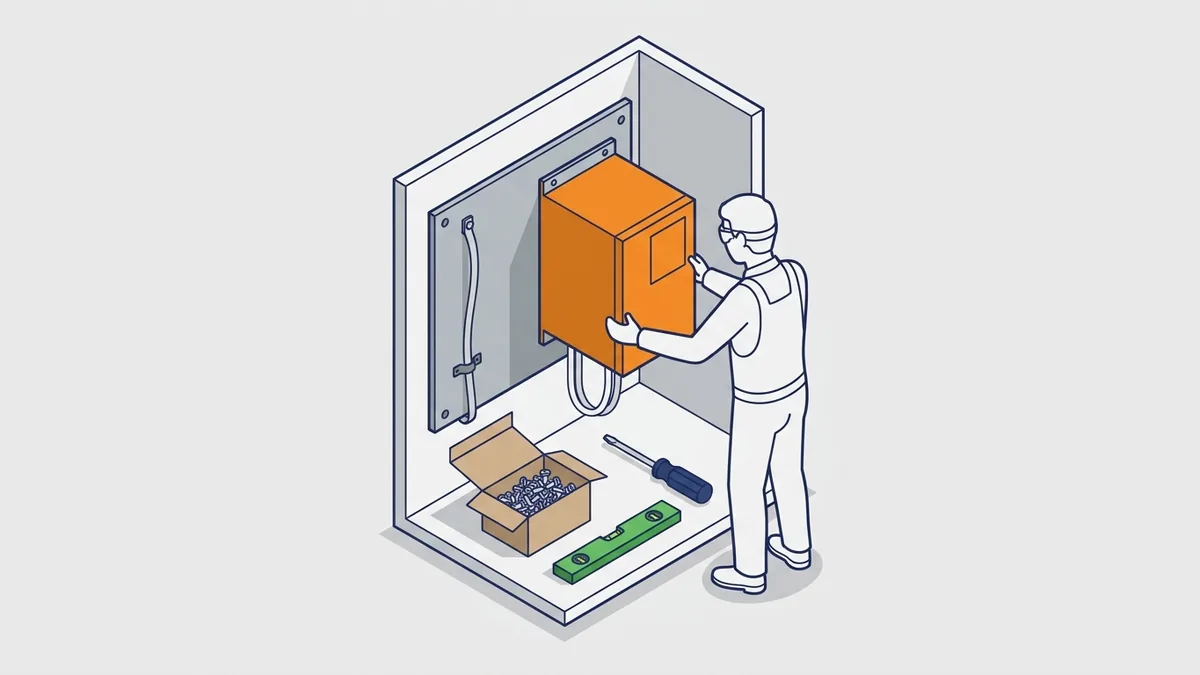
In addition, the 60 mm wide units up to about 5 hp allow zero-clearance side-by-side mounting, according to a Precision-hosted summary. However, confirm clearances in the Lenze manual before you finalize your layout.
Which ambient limits apply?
For this reason, plan around the stricter manual limits: 45 °C at 2 or 4 kHz and 40 °C at 8 or 16 kHz. Above those points, derate the drive. Also keep motor cables within the EMC length limits listed above.
What fuse and wire size does a 0.33 HP drive need?
First, for the 120 V i550 sizes I55AE125A and I55AE137A, the manual lists a 16 A gG/gL fuse with a 5 kA standard short-circuit rating. However, the UL column lists 15 A for the smaller sizes. Also, these sizes use screw terminals, with 2.5 mm² maximum on mains and motor.
Still, do not treat those numbers as a substitute for the manual or local code. Instead, check the manual for your exact type code.
How do I wire a 120 V single-phase drive to a 230 V three-phase motor?
The 120 V i550 takes single-phase input and feeds a three-phase motor. Connect the line, neutral and ground to the mains terminals, and connect U, V and W to the motor. Then wire the motor for 230 V, which is usually the delta connection on a dual-voltage motor.
Also, use shielded motor cable and ground the shield at both ends with a 360° clamp. Because this drive has no built-in RFI filter, the shield matters even more. As for length, the EMC limit listed above is 66 ft (20 m). For a longer run, check the manual for your exact type code, since cable length affects filtering and drive heating.
How is a brake resistor sized and connected?
Choose the i550 first, since Lenze points braking jobs to it. Next, size the resistor from the load inertia, the stop time and how often you stop. The manual also gives a minimum resistance value, so never go below it. Finally, connect the resistor to the brake terminals named in the manual. We do not list resistor, filter or choke part numbers here, so contact us and we will match them to your drive.
What basic settings suit a fan or pump?
For a fan or pump, set these basics:
- V/f curve: choose a square-law (quadratic) curve if the drive offers one. Fan and pump torque falls as speed falls.
- Ramps: set acceleration and deceleration times long enough to avoid overcurrent and DC-bus trips.
- Frequency limits: set a minimum speed that keeps the motor cool and a maximum that matches the motor rating.
- Start and stop: assign a digital input as the run command, and set the setpoint source to analog or network.
However, parameter numbers and default terminal assignments differ by model and software version. So take them from the operating instructions for your type code, or set them in EASY Starter.
Replacing an actech SMVector with an i510 or i550
Is the AC Tech SMVector discontinued?
First, Lenze calls the SMVector a staple of its portfolio for decades. Instead, it now points customers to the i510 protec and i550 protec. In addition, distributors, including Wolf Automation and Precision, report that Lenze’s last orders for the SMVector were May 1, 2026. However, that date comes from distributor pages, not from a Lenze announcement we found.
What carries over and what does not?
Many replacements fit the same mounting holes, so the footprint often matches. However, do not assume a drop-in swap. Instead, watch for these differences:
- Wiring: wiring and programming have changed. Motor wiring on the protec differs from the SMVector.
- EPM module: the SMVector used a gray EPM, and the i510/i550 protec uses a white one. They are not interchangeable.
- Keypad: it is optional on the protec drives.
- Terminals: they are push-in spring terminals.
- Digital inputs: the assertion level is programmable, where the SMVector used a DIP switch.
- 24 V supply: the on-board 24 V DC supply is 100 mA.
Which replacement fits an SMVector in NEMA 1 or 4X?
Replace an SMVector in NEMA 1 or 4X with a protec drive, not an IP20 cabinet drive. However, a cabinet drive only makes sense if it will go inside an enclosure. Also, Lenze offers a migration selection tool on its SMVector migration page. It also publishes a NEMA 1 migration guide, which puts all connections at the bottom with mains on the left.
How do I copy parameters when replacing an SMVector?
Because the gray SMVector EPM does not fit the white protec module, you cannot move the old settings by swapping the module. Instead, write down the old parameters, or save them from the old drive, and enter them in the new drive. You can do this from the keypad or in EASY Starter. After that, the memory module on the new drive keeps your settings, so you can use it to speed up a later swap within the same family. If you want help, Lenze’s migration service and our team can map the old settings to the new drive.
Where to get actech manuals, software and support
Where do I download manuals and EASY Starter?
First, start with the Lenze Doc Finder. There you will find the mounting instructions for each drive. Next, for commissioning and diagnostics, use the Lenze EASY Starter engineering tool. Finally, for EtherCAT, get the ESI file for your controller project.
Which document answers which question?
- Mounting instructions: sizes, mounting and first switch-on.
- Operating instructions: parameters, terminals, fault codes and ambient limits. Look for the i510 and i550 cabinet operating instructions.
- Project planning manual: power ranges, fusing and system design.
- Ethernet commissioning manual: EtherCAT, PROFINET and EtherNet/IP setup.
- i500 brochure: a quick overview and the type code tables.
We also repair AC Tech drives. For listed items that are in stock, a Precision product page shows same-business-day shipping when you order before 3 PM EST.
What buyers ask before ordering an actech drive
What should I check before ordering?
First, run through this checklist:
- Motor voltage and full-load amps against the 1.7 A rating.
- Input voltage: 120 V or 230 V.
- Supply type: single phase or three phase.
- Network type your PLC needs.
- STO, if your safety review calls for it.
- A brake resistor, which points to the i550.
- A keypad, if you want to set parameters on the drive.
- Your enclosure, since cabinet drives are IP20.
- The 50 Hz or 60 Hz default.
What are the common ordering mistakes?
- Ordering a 120 V-input unit for a 230 V supply, or the reverse.
- Picking a no-network part when the PLC needs a network.
- Assuming a cabinet drive is NEMA rated.
- Assuming SMVector EPM modules or wiring carry over.
- Forgetting the 120 Ω network termination.
- Trusting a listing title over the type code.
When to repair, when to replace an actech drive
Can a failed AC Tech drive be repaired?
Often, yes. Repair can make sense for a discontinued SMVector, because it avoids rewiring and reprogramming. However, if the drive is old and the application is changing, a new i510 or i550 may serve you better.
What to check before you call
First, rule out simple causes. Next, check the mains fusing and wiring. Also remember that in the i550 default setting, motor temperature monitoring through the PTC input X109 is active. A motor without a PTC wired in may therefore trip the drive, so check that before you assume the drive failed.
When you contact us, have the full type code from the nameplate, a short description of the application and any fault code.
What do common fault codes mean, and how do I reset them?
Each fault has a code, and the operating instructions list every code with its cause. In general, the main groups point to these causes:
- Motor overtemperature: the motor is hot, or the PTC input has no sensor wired in.
- Overcurrent: the output has a short or ground fault, or the ramp is too fast for the load.
- DC-bus overvoltage: the load regenerates during a stop, often because the deceleration ramp is too short.
- DC-bus undervoltage: the supply sags or drops out.
To reset, first fix the cause. Then clear the fault with the reset function, which you can assign to a digital input, the keypad or the network. If the fault returns, cycle the power. A fault that keeps coming back points to a wiring, motor or drive problem, so call us with the code.
An actech drive comes down to three choices: i510 or i550, cabinet or protec, and the right code suffix for your I/O and network. So check the type code, not just the title, before you order. If you need help picking a drive, a quote, or a repair, contact Precision Electric or browse our Lenze AC Tech drives.
Frequently asked questions
What is AC Tech?
AC Tech is the drive brand sold by Lenze. The current general-purpose range is the i500 family, made up of the i510 (basic) and the i550 (standard). In addition, they are sold as cabinet (IP20 panel) and protec versions, and they replace the older SMVector.
What is the difference between the i510 and the i550?
Lenze recommends the i510 for simpler applications and the i550 for more demanding ones. For example, the i510 offers Basic I/O and optional CANopen/Modbus. In contrast, the i550 adds Standard or Application I/O, more networks and an optional STO safety module. Also, choose the i550 if you need dynamic braking.
Is the AC Tech SMVector discontinued?
Lenze has moved the SMVector to the i510 protec and i550 protec. However, distributors report last orders on May 1, 2026. In addition, many replacements fit the same mounting holes, but wiring, programming and the EPM module differ.
Is a cabinet i510 or i550 an enclosed drive?
No. Cabinet versions are IP20 / NEMA Open Type panel drives, so you must install them in a control cabinet. Instead, for NEMA 1 or NEMA 4X, look at the protec or motec versions.
What do the last characters of the part number mean?
On the 0.33 HP i550, 000S is Standard I/O with no network, 001S is Application I/O, 002S is CANopen, and 00KS is EtherCAT. On the i510, however, 000S is Basic I/O and 001S adds CANopen/Modbus. In addition, an A in the safety position means STO is included, and a 1 in the region position means the US 60 Hz default.