








Lenze SMVector Guide: ESV Model Codes, Ratings and Options
If a Lenze SMVector drive runs your machine, or just failed, you need clear answers fast. This guide decodes the ESV model number and covers ratings, enclosures, derating, setup and common mistakes. It also explains the reported end of new orders and your stock, repair and migration options.
On this page
- What the Lenze SMVector is
- Is the Lenze SMVector still available? Discontinuation and last-order date
- Lenze SMVector model numbers: how to read the ESV type code
- Lenze SMVector ratings and models by voltage and horsepower
- Choosing a Lenze SMVector enclosure: NEMA 1, NEMA 4X, fan cooled, indoor/outdoor, disconnect
- The 10 HP “derated for single phase input” ESV153 drives in our catalog
- Lenze SMVector features and control modes
- Lenze SMVector installation limits and derating
- Lenze SMVector options and accessories
- Lenze SMVector compared with its alternatives
- Migrating an SMVector to i510 protec / i550 protec
- Lenze SMVector commissioning basics and common mistakes
- Where to get Lenze SMVector manuals, parts and repair
- Frequently asked questions
What the Lenze SMVector is
What is a Lenze SMVector VFD?
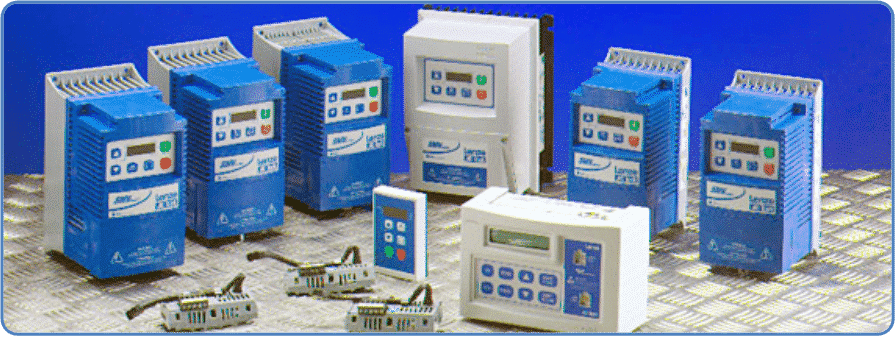
A Lenze SMVector VFD is a compact sensorless vector variable frequency drive. A variable frequency drive, or VFD, changes the frequency and voltage sent to an AC motor to control its speed. “Sensorless vector” means the drive uses a math model of the motor, not a speed sensor, to control speed and torque. As a result, you get good speed and torque control without an encoder on the motor.
The series began as the AC Tech SMV and now sells under the Lenze name. Lenze describes the SMV as a cost-efficient, reliable staple of its motion control lineup for decades. In addition, the manual lists CE conformity and UL508C, the UL standard for power conversion equipment. Still, check the nameplate on your own unit to confirm its approvals.
Lenze SMVector power range and enclosures
The Lenze SMVector covers 0.33 to 60 HP (0.25 to 45 kW). It comes in two enclosure families. NEMA 1 (IP31) units go inside a control panel, while NEMA 4X (IP65) units handle dust and water jets. However, NEMA 4X units stop at 30 HP, and NEMA 1 units reach 60 HP.
For example, typical uses include:
- Conveyors and material handling
- Packaging machines
- Pumps and fans
- Food processing and washdown areas, using the NEMA 4X versions
Are “SMVector,” “SMVector VFD” and “Lenze SMVector drive” the same product?
Yes. SMVector, SMVector VFD, Lenze SMVector VFD and Lenze SMVector drive all name the same product family. In addition, so do AC Tech SMVector, Lenze AC Tech SMV VFD, Lenze SMV drive, SMV inverter and SMVector frequency inverter. Every one of these uses a type number that starts with ESV. Because of that, the decoding steps below work on older AC Tech labels and newer Lenze labels alike.
Is the Lenze SMVector still available? Discontinuation and last-order date
Is the Lenze SMVector discontinued, and what was the last order date?
Yes, Lenze is retiring the series. For example, Lenze now runs a migration page that moves users to the i510 protec and i550 protec drives. Distributors report that Lenze stopped taking new Lenze SMVector orders after May 1, 2026. That date comes from distributor pages relaying Lenze’s notice, so treat it as reported, not as Lenze’s own wording.
What the end of new orders means for you
Today, you have four practical paths for an installed Lenze SMVector drive:
- Remaining new stock: Some distributors may still hold existing units. Confirm with us before you plan on a new drive.
- Repair: We test and repair failed SMVector drives, so your existing unit may go back into service.
- Exchange: Swap your failed drive for a matching ESV type when one is available.
- Migration: Move to an i510 protec or i550 protec, with some rewiring and new programming.
Lenze’s online shop for the Americas still lists SMVector products. However, a listing does not mean a unit is on the shelf. For details on the successors, see the comparison section later in this guide.
Lenze SMVector model numbers: how to read the ESV type code
Every Lenze SMVector carries an ESV type number on its nameplate. Once you can read it, you know the power, voltage, input phases, options and enclosure at a glance.
How do I read an SMVector ESV model number?
Read the code from left to right in seven parts: ESV | power code | N0 | voltage digit | input phase letter | filter/disconnect letter | enclosure letter. For example, ESV152N02TXB is a 2 HP, 240 V, three-phase-only drive. It has no filter or disconnect and sits in a NEMA 1 enclosure. Also, the N0 after the power code appears in every type number shown here.
SMVector power codes
The three-digit power code gives the kW rating. Here is a handy way to read it. The first two digits are the value, and the last digit is the number of zeros to add, in watts. So 152 means 15 plus two zeros, or 1,500 W (1.5 kW).
| Power code | kW | HP |
|---|---|---|
| 251 | 0.25 | 0.33 |
| 371 | 0.37 | 0.5 |
| 751 | 0.75 | 1 |
| 112 | 1.1 | 1.5 |
| 152 | 1.5 | 2 |
| 113 | 11 | 15 |
| 153 | 15 | 20 |
| 183 | 18.5 | 25 |
| 223 | 22 | 30 |
| 303 | 30 | 40 |
The manual lists more sizes up to 60 HP (45 kW). For codes not shown here, check its rating tables.
Voltage digit and input phase letter
The digit after N0 gives the voltage class:
- 1 = 120/240 VAC (voltage doubler)
- 2 = 240 VAC
- 4 = 400/480 VAC
- 6 = 600 VAC
Next, the input phase letter tells you what supply the drive accepts:
- S = single phase only
- Y = single or three phase
- T = three phase only
What is voltage digit 1, and how do the 120 V models decode?
Digit 1 marks the 120/240 V class. These drives have a voltage doubler, a circuit that raises a 120 V single-phase supply so the drive can still run a 240 V three-phase motor. The input phase letter on these models is S, for single phase only. For example, ESV371N01SXB reads as a 0.5 HP, 120/240 V, single-phase-input drive with no filter or disconnect in a NEMA 1 enclosure. Before you order, confirm the supply voltage and motor voltage against the nameplate and the manual.
Filter/disconnect letter and enclosure letter
The second-to-last letter covers the EMC filter and disconnect:
- F = integral EMC filter
- L = EMC filter and integrated disconnect switch (NEMA 4X only)
- M = integrated disconnect switch (NEMA 4X only)
- X = no filter and no disconnect
Finally, the last letter gives the enclosure:
- B = NEMA 1/IP31, indoor only
- C = NEMA 4X/IP65, indoor, convection cooled
- D = NEMA 4X/IP65, indoor, fan cooled
- E = NEMA 4X/IP65, indoor/outdoor, convection cooled
- F = NEMA 4X/IP65, indoor/outdoor, fan cooled
Notice that F appears in both positions with different meanings. So always read each letter by its place in the code.
Worked example: ESV153N04TXD
- ESV: SMVector series
- 153: 15 kW (20 HP)
- N0: fixed part of the code
- 4: 400/480 V class
- T: three-phase input only
- X: no EMC filter and no disconnect
- D: NEMA 4X/IP65, indoor only, fan cooled
For reference, one distributor lists this drive at 27.0 A continuous output on 480 V three-phase input, in frame size W1.
Lenze SMVector ratings and models by voltage and horsepower
What horsepower and voltage ranges does the SMVector cover?
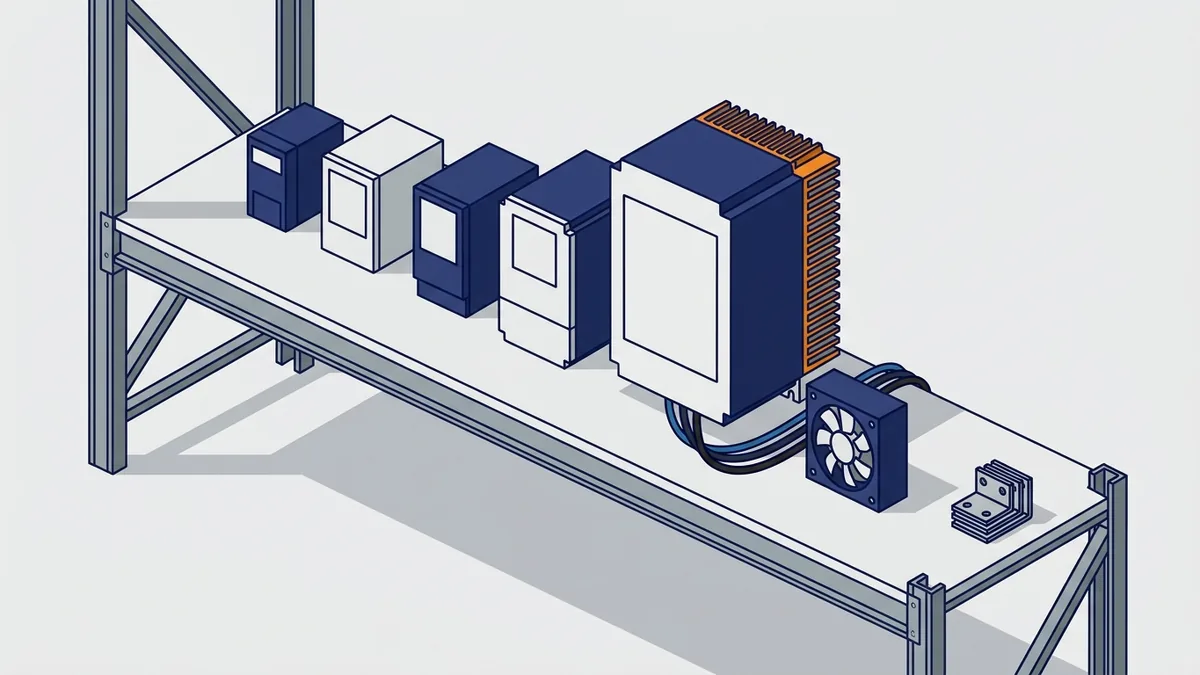
The table shows the highest horsepower in each input voltage class. In short, NEMA 4X matches NEMA 1 in the lower classes but stops at 30 HP in the two higher classes.
| Input supply | NEMA 1 (IP31) up to | NEMA 4X (IP65) up to |
|---|---|---|
| 120/240 V single phase | 1.5 HP | 1.5 HP |
| 200/240 V single or three phase | 3 HP | 3 HP |
| 200/240 V three phase | 20 HP | 20 HP |
| 400/480 V three phase | 60 HP | 30 HP |
| 480/600 V three phase | 60 HP | 30 HP |
So if you need more than 30 HP at 480 V or 600 V, choose a NEMA 1 unit inside a suitable enclosure. Also, the 240 V three-phase class tops out at 20 HP in both enclosure types.
A worked rating row: the 20 HP, 600 V model
The manual’s rating table lists the 600 V three-phase ESV153 (shown as ESV153–6T–) like this:
| Rating | Value |
|---|---|
| Power | 20 HP / 15 kW |
| Mains (input) current | 25 A |
| Continuous output current | 22 A |
| Maximum output current | 180% |
| Heat loss | 463 W (NEMA 1/IP31 column) and 431 W (NEMA 4X/IP65 no-filter column) |
The manual’s heat-loss columns are N1/IP31, N4X/IP65 no filter and N4X/IP65 with filter. This row fills only the first two, so the third column is blank. We read the figures from the table layout, so confirm them in the manual.
Now compare output current. A distributor lists the 480 V ESV153N04TXD at 27.0 A, while the 600 V model shows 22 A. Because output amps change with voltage class, confirm the exact figure on the nameplate or in the current manual rating table for your voltage.
Input voltage windows and phase balance
Each voltage class accepts a range of supply voltage. For example, the 240 V three-phase class accepts 170 to 264 V. Likewise, the 600 V three-phase class accepts 425 to 660 V. Both run on 48 to 62 Hz. In addition, input phase imbalance must stay under 2%, so measure all three phases before you install.
Choosing a Lenze SMVector enclosure: NEMA 1, NEMA 4X, fan cooled, indoor/outdoor, disconnect
Enclosure letters and our listing names
Our product listings use plain names instead of letters. This table shows how each name matches the enclosure code.
| Letter | Rating | Location | Cooling | Our listing name |
|---|---|---|---|---|
| B | NEMA 1/IP31 | Indoor only | Not listed | Water Drip |
| C | NEMA 4X/IP65 | Indoor only | Convection | Not used in our ESV153 listings |
| D | NEMA 4X/IP65 | Indoor only | Fan | Indoor Dust Tight & Water Jets |
| E | NEMA 4X/IP65 | Indoor/outdoor | Convection | Not used in our ESV153 listings |
| F | NEMA 4X/IP65 | Indoor/outdoor | Fan | Outdoor Dust Tight & Water Jets |
Which SMVector enclosure do I need for washdown or outdoor use?
For washdown, pick a NEMA 4X (IP65) unit with a C, D, E or F suffix. IP65 means dust tight and protected against water jets. For outdoor mounting, however, only E and F carry the indoor/outdoor rating. So a D unit does not belong outside, even though it is also NEMA 4X.
Use B (NEMA 1/IP31) inside a clean control panel. Then choose the cooling type. Convection cooled units (C and E) rely on natural airflow, while fan cooled units (D and F) use a fan to move heat.
What does the integrated disconnect on an SMVector do, and does it protect the drive?
An M in the filter/disconnect position adds an integrated disconnect switch. An L adds the same switch plus an EMC filter. Both options come on NEMA 4X models only. In our listings, “Integrated Disconnect” means the M option.
The switch is a motor service disconnect. In other words, it lets you isolate the motor for work on the motor wiring. However, it does not give branch circuit protection to the drive or the motor. So you still need proper branch circuit protection ahead of the drive.
After you turn the switch off, wait 3 minutes before you touch the motor wiring. Also, the switch is not a safe isolation point for work on the drive itself. To service the inverter, remove mains power ahead of the drive and wait 3 minutes.
EMC filter or no filter?
An F in the filter position means an integral EMC filter. EMC stands for electromagnetic compatibility, and the filter cuts electrical noise the drive sends back onto the supply. In contrast, an X means no filter and no disconnect. Choose a filter when site rules call for low emissions or nearby equipment is sensitive to noise.
The 10 HP “derated for single phase input” ESV153 drives in our catalog
Our catalog includes a set of Lenze SMVector drives listed as “10.00 HP (Derated For Single Phase Input).” These listings raise fair questions. Here is what they mean and what to check.
What does “derated for single phase input” mean on the 10 HP ESV153 listings?
ESV153 is the 15 kW (20 HP) size. Our listings offer these 20 HP three-phase drives as 10 HP units for a single-phase supply. Derating means running a drive below its full rating so it stays within safe limits. On single-phase input, the drive’s input rectifier and DC bus carry more stress, so the usable motor horsepower drops.
Here is the catch. In the type code, T means three-phase input only, and we found no manual page that covers the -DR suffix. So do not take an output current from this article, and treat the 10 HP figure as the listing’s rating. Before you order, check the nameplate, the manual and our product page, and call us to confirm the output current and horsepower at your supply voltage.
ESV153 -DR part numbers by voltage and enclosure
Each listing follows the same pattern: ESV153, a voltage class, an enclosure suffix and -DR.
| Voltage class | TXB (Water Drip) | TXD (Indoor Dust Tight & Water Jets) | TMD (Indoor, Integrated Disconnect) | TXF (Outdoor Dust Tight & Water Jets) |
|---|---|---|---|---|
| 240 V (N02) | ESV153N02TXB-DR | ESV153N02TXD-DR | ESV153N02TMD-DR | ESV153N02TXF-DR |
| 400/480 V (N04) | ESV153N04TXB-DR | ESV153N04TXD-DR | ESV153N04TMD-DR | ESV153N04TXF-DR |
| 600 V (N06) | ESV153N06TXB-DR | ESV153N06TXD-DR | ESV153N06TMD-DR | ESV153N06TXF-DR |
How do I pick the voltage digit for my supply?
Match the voltage digit to the supply that feeds the drive. Use N02 for a 240 V class supply, N04 for 400/480 V, and N06 for 600 V. First, measure the actual supply voltage. Then check that it falls inside the manual’s voltage window for that class, and confirm the motor nameplate voltage matches.
Lenze SMVector features and control modes
What control modes does the SMVector offer?
The Lenze SMVector offers four control modes:
- V/Hz: keeps a set voltage-to-frequency ratio, a simple choice for fans and pumps.
- Enhanced V/Hz: a refined V/Hz mode; see the manual for its settings.
- Vector speed control: holds speed as the load changes, with a 60:1 speed range.
- Vector torque control: controls motor torque instead of speed.
You select the mode with P300. For the vector modes (P300 = 4 or 5), enter motor nameplate data in P302 to P306. Then run auto-calibration with P399, as shown in the setup steps later in this guide.
Keypad, terminal strip, remote keypad and network control
P100 sets where start commands come from. The main choices are:
- 0: local keypad (default)
- 1: terminal strip
- 2: remote keypad only
- 3: network only
- 4: terminal strip or local keypad
Meanwhile, P101 sets the speed reference source. In addition, to switch between two control sources, set one TB-13 input as Control Select. The manual lists further P100 options for mixed control.
Maximum frequency up to 500 Hz
P103 sets maximum frequency. It defaults to 60 Hz and goes as high as 500 Hz. Above 120 Hz, the drive asks you to confirm. First, scroll up to 120 Hz until HiFr flashes. Next, release the button for one second, then press again to keep going.
Before you run above the motor’s rated frequency, check with the motor and machine makers. After all, overspeed can damage bearings, cooling fans and driven equipment.
EPM removable memory module
The EPM is a small removable memory module that stores the drive’s settings. Because it holds the parameters, you can move it to a matching replacement SMVector to copy the setup. Also, P199 selects the program source. When P199 = 1, the drive runs from OEM settings stored in the EPM, and auto-calibration is not possible in that mode.
How do I wire digital inputs on an SMVector (NPN vs PNP), and what causes the F L fault?
The digital inputs work as active-high or active-low. You set this in two places: the Assertion Level Switch (ALsw) on the drive and parameter P120. Use High (+) for dry contacts or PNP devices, and Low (-) for NPN devices. By default, active-high is on.
Both settings must agree. If the switch position does not match P120, the drive shows an F L fault. So when you see F L, check the switch and P120 together before you suspect the wiring.
Lenze SMVector installation limits and derating
What derating applies for temperature, altitude and carrier frequency?
Heat, thin air and fast switching all reduce how much current the drive can deliver. Carrier frequency is how fast the output transistors switch. Higher settings make the motor quieter but heat the drive more. The table lists the limits and derates, where In means the drive’s rated output current.
| Condition | Limit or setting | Derate |
|---|---|---|
| Ambient temperature | -10 to +55 °C | 2.5% of current per °C above +40 °C |
| Altitude | 0 to 4,000 m | 5% per 1,000 m above 1,000 m |
| NEMA 4X (IP65), P166 = 1 | 6 kHz | 92% of In |
| NEMA 4X (IP65), P166 = 2 | 8 kHz | 84% of In |
| NEMA 4X (IP65), P166 = 3 | 10 kHz | 76% of In |
| NEMA 1 (IP31), P166 = 2 | 8 kHz | 92% of In |
| NEMA 1 (IP31), P166 = 3 | 10 kHz | 84% of In |
The carrier rows depend on enclosure type. NEMA 1 models default to 6 kHz and have no derate there.
For example, a drive in a 50 °C room sits 10 °C above 40 °C. At 2.5% per °C, that is a 25% derate, so plan on 75% of rated current. However, if more than one derate applies, account for each one and confirm sizing with the manual.
Safety cautions before you wire or service the drive
- First, remove mains power ahead of the drive and wait 3 minutes before you service it.
- Never connect mains power to the output terminals U, V and W. Severe damage will result.
- Also, do not cycle mains power more than once every two minutes.
- Finally, do not treat the integrated disconnect as branch circuit protection or as isolation for servicing the drive.
Heat loss and mounting: NEMA 1 vs NEMA 4X
A NEMA 1 drive mounts inside a panel, so the panel must carry away the drive’s heat. For example, the 20 HP, 600 V model lists 463 W of heat loss in the NEMA 1 column. Then size panel cooling for that load plus everything else in the cabinet.
A NEMA 4X drive has its own sealed enclosure and mounts near the machine. For 15 to 30 HP NEMA 4X types, the manual lists frame sizes W1 and X1, with AE1 and AF1 for disconnect versions. Before you drill, check the manual’s dimension tables for your exact type.
Lenze SMVector options and accessories
The SMVector accepts several option families. We cover each in its own download post, so this guide does not repeat them:
- Dynamic brake
- I/O module
- Communication modules
- Keypads, including remote keypads
- EPM programmer
Does the SMVector have dynamic braking?
Yes. The 40 to 60 HP (30 to 45 kW) models include a dynamic brake transistor as standard, so you only connect the brake resistor. For smaller sizes, see our dynamic brake download for the option that fits your drive. In short, dynamic braking burns off energy the motor sends back during fast stops, which helps prevent overvoltage trips.
How do I size a brake resistor and pick a kit for models under 40 HP?
Models under 40 HP need a brake option added, because they have no standard brake transistor. Start by gathering the facts that drive the choice:
- The drive’s full ESV type number and its voltage class.
- The motor horsepower and the load inertia.
- How fast you need the load to stop.
- How often the machine stops, which sets the duty cycle.
Then match those facts to the brake rating tables in our dynamic brake download and in the manual. The resistor’s ohm value must not fall below the minimum the drive allows. Also, its watt rating must handle the heat from your stop rate. We do not list kit part numbers here, so call us with your ESV type and application and we will help you pick the right kit.
Onboard communications on 15 HP and larger models
The P6xx onboard communication parameters apply to 15 HP (11 kW) and larger models only. As a result, the 20 HP ESV153 drives include them. For smaller sizes, however, look at the communication modules covered in our download post.
Lenze SMVector compared with its alternatives
What replaces the Lenze SMVector?
Lenze’s direct successors are the i510 protec and the i550 protec. Lenze recommends the i510 protec for simpler applications and the i550 protec for more demanding ones. Also, Lenze says to choose the i550 protec over the i510 protec if you need dynamic braking.
How does the SMVector compare with the i510 protec and i550 protec?
| Feature | SMVector | i510 protec | i550 protec |
|---|---|---|---|
| Power range | 0.25 to 45 kW (0.33 to 60 HP) | 0.25 to 22 kW | Up to 75 kW |
| Best fit | Installed base; existing stock only | Simpler applications | More demanding applications |
| Dynamic braking | Transistor standard at 40 to 60 HP; option on smaller sizes | Lenze says pick the i550 protec if needed | Lenze’s choice when braking is needed |
| Control terminals | Screw type | Push-in (spring clamp) | Push-in (spring clamp) |
| Memory module | EPM | SMVector EPM does not fit | SMVector EPM does not fit |
| Safety standard | UL508C listed in manual | UL 61800-5-1 | UL 61800-5-1 |
| On-board 24 V DC supply | See manual | Improved, 100 mA | Improved, 100 mA |
| IO-Link | Not listed | Not stated | IO-Link V1.1 |
| Mains and motor terminals | SMVector layout | Mains left, motor right | Mains left, motor right |
A distributor calls the protec drives a drop-in for many SMVector units because the mounting holes match. However, they are not identical or plug-in replacements. In fact, Lenze states that terminals, EPM and programming all differ.
Wiring safety note for the new drives
On the i510 protec and i550 protec, the mains terminal sits on the left and the motor terminal on the right. Motor wiring also differs from the SMVector. So never reconnect wires by position alone. Instead, trace each conductor, check it against the new drive’s manual, and verify before you apply power.
When to keep the SMVector and when to migrate
Keep or repair the Lenze SMVector when:
- An identical ESV type is available for exchange.
- The panel layout and wiring are tight, and you want no changes.
- The machine runs a proven parameter set stored on its EPM.
On the other hand, plan to migrate when:
- No matching drive or repair option is available.
- You need dynamic braking, more power or IO-Link.
- Your spec calls for UL 61800-5-1.
- You want a product line that Lenze still sells new.
Migrating an SMVector to i510 protec / i550 protec
How do I migrate an SMVector to an i510 or i550?
Plan the swap before the old drive fails, if you can. Follow these steps:
- Record the nameplates. Write down the full ESV type number, the drive ratings and the motor nameplate data.
- Record the parameters. List every parameter that differs from default, and keep the EPM.
- Pick the drive. Choose the i550 protec for dynamic braking or demanding control; otherwise the i510 protec may fit.
- Check the footprint. Compare mounting holes and clearances with your panel or machine.
- Rewire the terminals. Move control wires to the push-in terminals, then land mains on the left and motor on the right.
- Load and test. Load the parameters, check motor direction with the load off if you can, then run under load.
Use Lenze’s migration service
Lenze offers to do much of the conversion work. First, send Lenze your existing wiring diagram, your SMVector EPM and the i510 protec or i550 protec part number you plan to use. In return, Lenze builds a parameter list, a wiring diagram and a program file for the new drive.
Can I reuse my SMVector EPM in a new drive?
No. EPM modules are not interchangeable between the SMVector and the i510 protec or i550 protec. Also, the programming differs, so you cannot copy settings straight across. Still, keep the EPM safe, because Lenze’s migration service uses it, and it lets you restore an SMVector if needed.
Lenze SMVector commissioning basics and common mistakes
How do I set up the SMVector for a motor (auto calibration, frequency limits)?
Use this quick-start sequence after you check wiring and supply voltage:
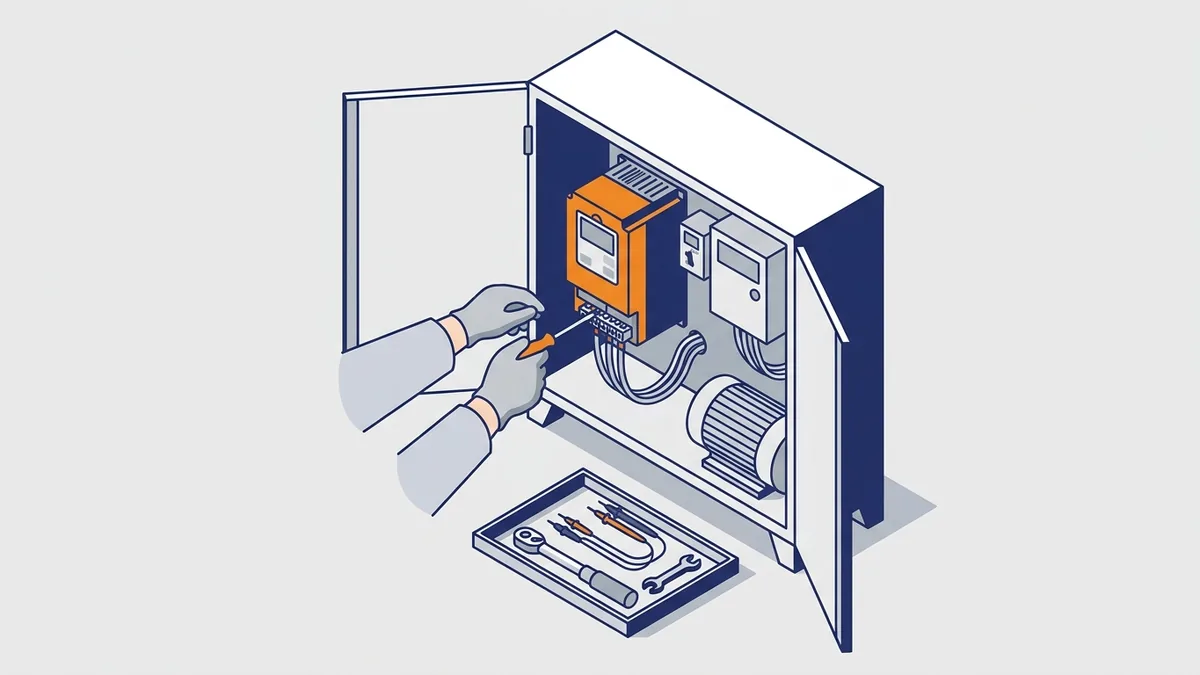
- First, set the ALsw switch and P120 to match your input devices.
- Next, choose the control mode in P300. For vector control, use 4 or 5.
- Then enter the motor nameplate data in P302 to P306.
- Make sure the motor is cold, at 20 to 25 °C.
- Now set P399 = 1 and apply a Start command. The display indicates calibration for about 40 seconds.
- After that, apply another Start command to run the motor.
- Next, pick the start source in P100 and the speed reference in P101.
- Then enter minimum and maximum frequency in P102 and P103.
- Finally, program acceleration and deceleration times in P104 and P105.
Keep in mind that auto-calibration does not work when P199 = 1. In that mode, the drive runs from OEM settings in the EPM.
What are common mistakes when installing or commissioning an SMVector?
- Leaving ALsw and P120 mismatched, which causes an F L fault.
- Running above the motor’s rated frequency without checking with the motor or machine maker.
- Skipping derates for altitude, heat or carrier frequency, which leaves the drive undersized.
- Feeding a three-phase-only (T) drive from single phase without a confirmed derate from the nameplate and manual.
- Misreading the enclosure letter and mounting an indoor-only unit, such as a D, outdoors.
- Cycling mains power more than once every two minutes.
- Wiring mains to U, V and W by mistake, which causes severe damage.
- Running auto-calibration on a warm motor.
- Using parameter numbers from the wrong manual revision.
Where to get Lenze SMVector manuals, parts and repair
Where do I find SMVector manuals and communication documents?
The main document is the SMVector Operating Instructions, published in the SV01 series and later as EDBSV01. You can find it and related documents here:
- The SMVector Operating Instructions in the Precision Electric manual library
- The SMVector Operating Instructions SV01J PDF on the Precision Electric site
- The Lenze SMVector VFD overview PDF from Precision Electric
- The Lenze SMVector operating instructions on manualslib, along with reference manuals such as EtherNet/IP and DeviceNet
- The SMVector VFD product page on Lenze’s US online shop
- Lenze’s SMVector migration page for the i510 protec and i550 protec
- Our separate download posts for the dynamic brake, EPM programmer, keypads, communication modules and I/O module
Be careful with revisions. Online copies range from SV01B to SV01J and EDBSV01 version 21.0, and many sit on third-party sites. So check the revision against your drive’s software version before you rely on parameter numbers. The same manual also holds the fuse, wire size and torque tables for each drive size, so read those for your exact type before you wire.
Parts and replacement drives
Our Lenze Drives page lists the SMVector lines we offer, including the ESV153 -DR drives above. Because remaining supply comes from existing stock, call us to check status before you plan a replacement.
When should I repair an SMVector rather than replace it?
Repair makes sense when you need the exact same drive. That includes cases where the panel fits only that unit, the machine relies on its parameter set, or no new unit is available. However, replacement or migration makes more sense when damage is severe or you want a supported product line.
Call us when you see any of these signs:
- Fault codes that come back after reset
- A burned smell from the drive
- A shorted output
- A damaged terminal block
How to send in a failed SMVector for repair or exchange
First, record the full ESV type number from the nameplate and note any fault codes. Next, save the parameters, or keep the EPM with your records. Then contact Precision Electric with these details and photos of the drive. After that, we will confirm whether repair or exchange fits your case and how to ship it. Cost, turnaround and exchange availability depend on the drive and its damage, so we quote them for your unit.
Frequently asked questions
What is a Lenze SMVector drive?
It is a Lenze, formerly AC Tech, sensorless vector variable frequency drive. It covers 0.33 to 60 HP in NEMA 1/IP31 and NEMA 4X/IP65 enclosures. However, the NEMA 4X units go only up to 30 HP.
Is the Lenze SMVector discontinued?
Yes. Lenze moved the series to the i510 protec and i550 protec drives. Distributors report that new SMVector orders closed after May 1, 2026. So remaining supply comes from existing stock, exchange or repair.
What does the ESV part number mean?
ESV is the SMVector prefix, followed by the power code, such as 153 for 15 kW (20 HP), and then N0. Next comes the voltage digit: 1 = 120/240 V, 2 = 240 V, 4 = 400/480 V, 6 = 600 V. Then come the input phase letter (S, Y or T), the filter/disconnect letter (F, L, M or X) and the enclosure letter (B, C, D, E or F).
What replaces the SMVector?
Lenze recommends the i510 protec for simpler applications and the i550 protec for more demanding ones and for dynamic braking. However, terminals, wiring layout and programming differ from the SMVector. Also, SMVector EPM modules do not carry over.
What is the difference between the D, F and B suffixes on the 20 HP ESV153 drives?
B is NEMA 1/IP31 for indoor use. D is NEMA 4X/IP65 for indoor use only, fan cooled, and F is NEMA 4X/IP65 for indoor or outdoor use, fan cooled. In addition, an M in the filter/disconnect position adds an integrated disconnect. That is a motor service disconnect, not branch circuit protection.
The Lenze SMVector remains a capable, well-documented drive, but new orders reportedly closed after May 1, 2026. Read the ESV code carefully, apply every derate that fits your site, and confirm ratings on the nameplate and in the right manual revision. When matching units run out, plan your move to the i510 protec or i550 protec with Lenze’s migration help.
If you need help choosing a drive, a quote, or a repair on a failed SMVector, contact Precision Electric and our team will help you find the right path.