








Power Flex Drives: Families, Selection, Setup and Repair Guide
If you searched for power flex, you probably have an Allen-Bradley PowerFlex drive to choose, set up, fix or replace. This guide explains the whole family, how the 525 and 753 differ, and which Rockwell manual answers which question. You will also learn where to get software and firmware, and when to send a drive out for repair.
On this page
- What Is a Power Flex Drive?
- PowerFlex Families at a Glance
- How to Choose the Right Power Flex Drive
- Power Flex 525 Overview
- Power Flex 753 Overview
- PowerFlex 753 vs PowerFlex 525
- Software, Firmware and Configuration Tools
- Installing and Starting Up a Power Flex Drive
- Troubleshooting PowerFlex Faults
- Common Mistakes with Power Flex Drives
- Repair, Replacement and Where to Get Help
- Frequently asked questions
What Is a Power Flex Drive?
A power flex drive is an AC variable frequency drive (VFD) from Allen-Bradley, a Rockwell Automation brand. A VFD controls motor speed by changing the frequency and voltage it sends to the motor. Rockwell writes the name as one word, PowerFlex, so use that spelling when you search its sites. However, most people type power flex, and both searches lead to the same drives.
The family covers a wide power range. For example, Rockwell describes its compact PowerFlex VFDs as covering applications up to 22 kW (30 Hp). Next come general-purpose drives up to 270 kW (400 Hp). Finally, high-performance drives reach up to 4500 kW (6000 Hp).
The name reaches beyond low-voltage AC drives, too. Rockwell also sells the PowerFlex 6000T and 7000 medium-voltage drives, plus PowerFlex DC drives. Because this guide focuses on low-voltage AC drives, the medium-voltage and DC lines get only a short mention.
Why the family and catalog number matter
Each power flex family has its own manuals, software files and spare parts. For example, a 525 manual will not help you program a 753. So before you search for anything, read the full catalog number on the nameplate. The first characters show the family, such as 25B for the 525 or 20F for the 753.
How do I read a PowerFlex catalog number?
You need the whole string to order an exact replacement. On a 525, the number reads in parts, as in 25B-D010N104:
- 25B: the bulletin, which is the 525 family.
- Voltage code: a letter such as B (240V single-phase), V (200-240V three-phase), D (380-480V three-phase) or E (525-600V three-phase).
- Rating code: the output current. D010 means 10 amps, and 2P3 means 2.3 amps, with the P standing in for a decimal point.
- Last characters: these cover the enclosure, keypad, emissions filter and brake transistor options.
A 753 number starts with 20F and follows the same idea: voltage, duty rating and current rating, then enclosure and option codes. However, the code letters differ from the 525 ones. So decode the final characters with the ordering tables in 520-TD001 or 750-TD001. Match every position, including the filter and brake codes, before you order.
PowerFlex Families at a Glance
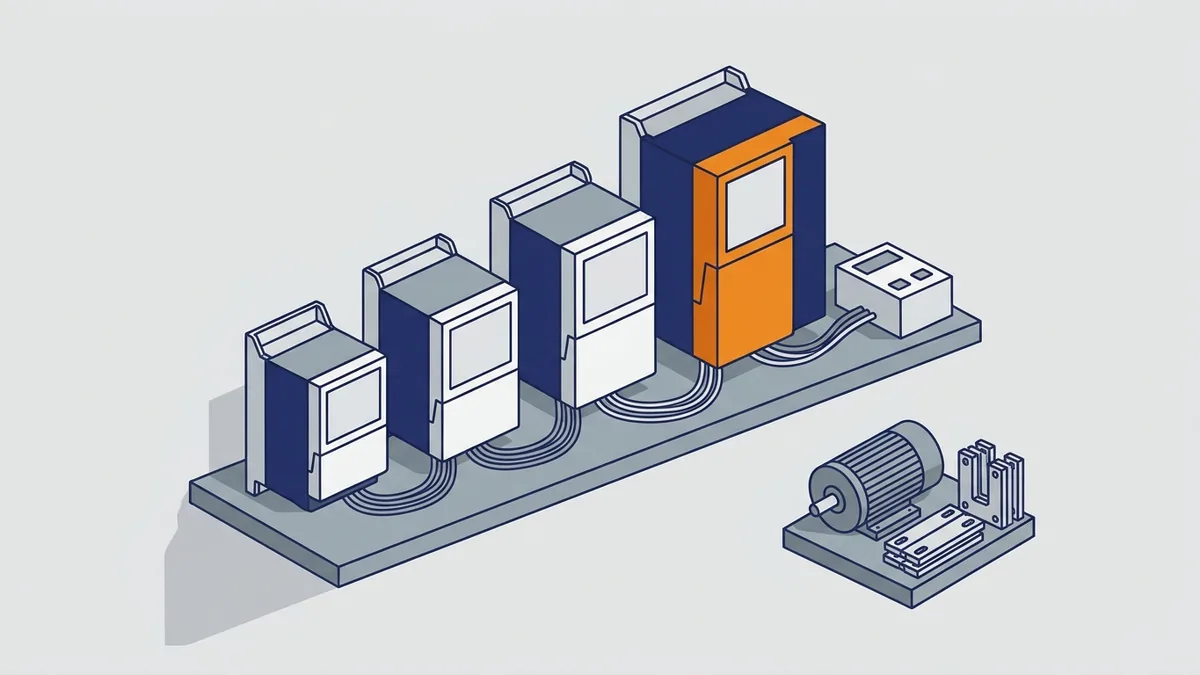
Rockwell sorts its low-voltage power flex drives into classes. Its PowerFlex Low Voltage Drives Selection Guide (PFLEX-SG002) lists the 4M, 400, 523, 525, 527, 753, 755, 755TS, 755TL/TR and 70 drives. For common bus drives, it points you to a separate publication, DRIVES-SG001, the PowerFlex Common Bus Configuration Selection Guide. The table below shows how the main groups compare.
| Group | Models | Power range Rockwell gives | Typical use |
|---|---|---|---|
| Compact class | 4M, 400, 523, 525, 527; older 4, 40, 40P | Compact VFD applications up to 22 kW (30 Hp) | Standalone machine-level control and simple machines |
| Architecture class | 753, 755, 755T-series, 70, 700, 700H, 700S, 700L | General purpose up to 270 kW (400 Hp); high performance up to 4500 kW (6000 Hp) | Integrated, higher-performance control |
| Armor PowerFlex | Standard Armor PowerFlex | Up to 10 Hp | Machine-level motor control with a local lockable disconnect |
| Medium voltage | 6000T, 7000 | See PFLEX-SG003 | Medium-voltage motors |
| DC drives | PowerFlex DC drives | See Rockwell’s Literature Library | DC motor speed control |
| Common bus | Common bus solutions | See DRIVES-SG001 | Systems where several drives share a DC bus |
Compact class vs architecture class
Compact-class drives are simple, cost-effective drives for standalone machine-level control. Rockwell aims the 525, for example, at machines with simple needs. Architecture-class drives, by contrast, offer more control modes, more options and tighter links to a plant control system. Because single models vary, check each one’s ratings in PFLEX-SG002 rather than trusting the class range.
Inside the compact class, the 523 and 525 share one user manual. The 525 adds a built-in EtherNet/IP port. The 527 is the compact model aimed at integrated safety and dual-port EtherNet/IP. Confirm the exact feature list for each in its own technical data.
What about the 523, 527, 755, 755T, 70 and 40?
Here is how the less common models fit:
- 523: the simpler 520-series sibling, bulletin 25A.
- 527: a 520-series drive built for integrated safety and EtherNet/IP.
- 755: the 750-series partner of the 753, with embedded EtherNet/IP and more options.
- 755T-series: Rockwell’s larger system drives, including the 755TS, and the 755TL and 755TR versions.
- 70 and 40: older drives that you will still find in many plants.
Lifecycle status changes over time, so do not rely on a blog post for it. Instead, check a model’s status in Rockwell’s Product Compatibility and Download Center at rok.auto/pcdc. For the PowerFlex 40 and 40P, Rockwell publishes a migration guide to the 525, covered later in this article.
Armor PowerFlex, medium-voltage and DC drives
The standard Armor PowerFlex drive goes up to 10 Hp. It offers AC induction motor control, user I/O (inputs and outputs), local manual control and a local lockable motor disconnect. Note that Series A Armor PowerFlex drives need ferrite cores, and Rockwell ships two with each drive.
For medium-voltage drives, start with the PowerFlex Medium Voltage AC Drives Selection Guide (PFLEX-SG003). As for DC drives, they have their own service manuals, which the troubleshooting section touches on below.
How to Choose the Right Power Flex Drive
Choosing a power flex drive starts with the selection guide. PFLEX-SG002 includes a flowchart that walks you to the right drive family. Then narrow the choice with these checks, in this order:
- Supply voltage and phase at the drive input.
- Motor full-load amps and the duty rating you need (normal or heavy).
- The control mode the load needs, such as V/Hz or vector.
- The enclosure rating for the space where the drive will sit.
- Network communications to your PLC or control system.
- Safety functions, such as Safe Torque Off.
Finally, confirm the exact rating in the technical data publication for that family. For example, use 520-TD001 for the 520-series and 750-TD001 for the 750-series. Those documents beat any catalog listing or reseller page.
Ratings and duty: normal duty vs heavy duty
Some power flex drives carry dual current ratings, one for normal duty and one for heavy duty. You can run the drive at either rating. For instance, normal duty suits loads like fans and centrifugal pumps that need little extra starting torque. By contrast, heavy duty suits loads that need more overload room, such as conveyors that start loaded. As a result, the same drive has a lower current rating at heavy duty.
Also, size the drive from the motor’s full-load amps, not horsepower alone. Two motors with the same horsepower can draw different current. So a drive picked by horsepower alone can trip or run hot. To avoid that, check the amps on the motor nameplate against the amp ratings in the technical data.
Control modes, communications and safety options
Control mode is the method a drive uses to run the motor. For example, the PowerFlex 753 offers V/Hz (volts per hertz), sensorless vector, and vector control with FORCE technology. It runs FORCE vector with or without an encoder, a speed feedback device on the motor. It also supports interior permanent magnet (IPM) motors, with or without an encoder. In general, V/Hz fits fans and pumps, while vector modes give tighter speed and torque control.
For communications, the 525 has an EtherNet/IP adapter built into its main control board. The 753 uses optional communication modules instead, so plan the network option when you order. Keep in mind that the embedded EtherNet/IP adapter in the 750-series documents belongs to the 755, not the 753.
Safe Torque Off (STO) stops the drive from making motor torque without cutting the incoming power. Rockwell offers optional STO, branded DriveGuard, on PowerFlex 40P, 70, 700H, 700S and 750-series drives. For the 750-series, read the Safe Torque Off User Manual (750-UM002). In addition, the Safe Speed Monitor option module has its own manual, 750-RM001.
Enclosure ratings
Enclosure ratings vary by family. Depending on the model, you can find these types:
- IP00/IP20 and NEMA/UL Open Type
- IP54 and NEMA/UL Type 12
- IP66 and NEMA/UL Type 4X and 12
For example, the 753 itself comes in open (IP00/IP20), flange mount and IP54 NEMA/UL Type 12 versions. So match the enclosure to dust, washdown and heat in the space before you order.
Power Flex 525 Overview
The power flex 525 is a compact-class drive in the Allen-Bradley 520-series. Its catalog bulletin is 25B. The series also includes the PowerFlex 523, bulletin 25A, and one user manual covers both drives. Rockwell aims the 525 at machines with simple needs, and typical jobs include conveyors, pumps and fans.
PowerFlex 525 ratings
The selection guide lists the ratings below for what appear to be the 525 rows. However, these values came from a text extraction that blurred the 523 and 525 rows. So confirm every value in 520-TD001 before you size a drive.
| Input voltage | Output amps | Power |
|---|---|---|
| 200-240V | 2.5-62.1 | 0.4-15 kW (0.5-20 Hp) |
| 380-480V | 1.4-43 | 0.4-22 kW (0.5-30 Hp) |
| 525-600V | 0.9-32 | 0.4-22 kW (0.5-30 Hp) |
Key PowerFlex 525 features
- Embedded EtherNet/IP: The adapter sits on the main control board, so it is always part of the drive. It does not ship with separate installation instructions.
- USB connection: You can set up the drive from a PC over USB. However, the PC needs Microsoft .NET installed.
- Modular design: Each drive has a power module and a control module.
- Built-in Safe Torque Off: See the next section.
For detailed setup tips and best uses, see our separate power flex 525 specs and setup guide. Because this guide stays at the family level, it does not repeat that post.
PowerFlex 525 control modes
The 525 runs V/Hz control and sensorless vector control. Use V/Hz for fans, pumps and simple conveyors. Use sensorless vector when the load needs better torque at low speed. The exact mode list and the parameters that select each one are in 520-UM001, so confirm them for your firmware.
Does the PowerFlex 525 have Safe Torque Off?
Yes. The 525 has STO built into the drive as a hardwired function, so you do not buy a separate module for it. You wire the safety enable inputs on the control terminals to your safety circuit. The 750-series works differently. Its STO is an optional module, and the Safe Speed Monitor module adds speed-based safety on top. Read the safety chapter of 520-UM001 before you wire the 525 into a safety circuit.
Power Flex 525 PDF: Which Manual to Download
If you need a power flex 525 pdf manual, download it from Rockwell’s Literature Library at rok.auto/literature. Rockwell offers the user manual there in several languages. To pick the right publication, use this table:
| Publication | What it covers |
|---|---|
| 520-UM001 User Manual | Installation, wiring, startup, programming, parameters, PID (closed-loop process control) and faults for the 523 and 525 |
| 520-QS001 Quick Start | Installation and first startup |
| 520-TD001 Technical Data | Ratings and installation specifications |
| 520COM-UM001 | Embedded EtherNet/IP adapter |
| 520COM-UM002 to 520COM-UM004 | DeviceNet, dual-port EtherNet/IP and PROFIBUS adapters |
| PFLEX-AT001 | Dynamic braking resistor calculator |
Check the manual revision before you trust it
Next, look at the cover of any PDF you find. The publication number ends with a revision letter, and the date sits nearby. Many copies on file-sharing sites are old, such as 520-UM001I from 2016 or editions from 2013. Because some 525 settings only exist in FRN 5.xxx and later, an old copy may not match your drive’s firmware. So download the current revision from the Literature Library, not the first PDF a search returns.
Power Flex 753 Overview
The power flex 753 is an architecture-class drive in the 750-series, alongside the 755. Its catalog numbers start with 20F. This PowerFlex AC drive has embedded I/O, DeviceLogix control technology and many control hardware options. DeviceLogix lets the drive run simple logic on its own, without a PLC. As a result, the 753 suits general-purpose and more demanding jobs than a compact drive.
PowerFlex 753 ratings
Rockwell’s current PowerFlex 753 product page lists these power ratings:
| Input voltage | kW | Hp | Amps |
|---|---|---|---|
| 200-240V | 0.37-132 | 0.5-200 | 2.2-477 |
| 380-480V | 0.75-250 | 1.0-400 | 2.1-477 |
| 600V | Not listed | 1.0-300 | 1.7-289 |
| 690V | 7.5-250 | Not listed | 12-263 |
However, sources disagree on the top rating at 480V. The launch announcement and a datasheet copy say 1 to 350 Hp, while the current page says 400 Hp. So confirm your drive’s exact rating on its nameplate and in 750-TD001. Also, the 753 and 755 come as pre-engineered FasTrac packaged drives in NEMA/UL Type 1, 12, 3R and 4X enclosures. Per 750-TD002, these cover frames 1 to 7, up to 350 Hp normal duty at 480V.
Is the PowerFlex 753 the same as the 755?
No, but they are close relatives. Both belong to the 750-series and share publications such as 750-UM001, 750-PM001 and 750-TD001. However, they are separate models with different catalog numbers: 20F for the 753 and 20G for the 755. For example, one documented difference is the embedded EtherNet/IP adapter on the 755, covered in 750COM-UM001. So check the catalog number before you apply a 755 feature to a power flex 753.
Power Flex 753 Manuals and Documents
Rockwell splits the 750-series documents by job. To find the one you need, use this table:
| Publication | What it covers |
|---|---|
| 750-IN001 Installation Instructions | Installing and wiring the drive |
| 750-UM001 User Manual | Grounding, control board details, start-up and control block diagrams |
| 750-PM001 Programming Manual | Parameters and programming |
| 750-TD001 Technical Data | Ratings and specifications |
| 750-UM002 | Safe Torque Off |
| 750-RM001 | Safe Speed Monitor option module |
| 20HIM-UM001 | 20-HIM-A6 and 20-HIM-C6S keypads |
| 750-TD002 | FasTrac packaged drives |
| 750COM-UM001 | 755 embedded EtherNet/IP adapter (not the 753) |
Watch out for old copies. The widely shared 750-UM001C PDF dates from September 2009. Since then, Rockwell has moved programming content into 750-PM001. For current files, use the Literature Library or Rockwell’s Architecture Low Voltage AC Drives Technical Documentation page. That page groups the 753, 755, 70 and 755T documents in one place.
PowerFlex 753 vs PowerFlex 525
These two drives sit at different ends of the power flex range. As a quick guide, the table sums up the documented differences.
| Feature | PowerFlex 525 | PowerFlex 753 |
|---|---|---|
| Class | Compact | Architecture |
| Catalog bulletin | 25B | 20F |
| Power range | Up to 22 kW (30 Hp); confirm in 520-TD001 | 0.37-250 kW across voltages; up to 400 Hp at 480V per the current page |
| Control modes | V/Hz and sensorless vector; details in 520-UM001 | V/Hz, sensorless vector, FORCE vector, IPM |
| Communications | Embedded EtherNet/IP | Optional communication modules |
| Safe Torque Off | Built in | Optional module |
| Local setup | USB to a PC | HIM keypad |
| Main manuals | 520-UM001 | 750-UM001 and 750-PM001 |
| Typical use | Simple, standalone machines | General-purpose and demanding applications |
Should I use a PowerFlex 525 or a 753?
Choose the 525 when the machine is simple and the motor fits well within its rating. It also makes sense when built-in EtherNet/IP covers your network needs. On the other hand, step up to the 753 when you need more power, FORCE vector control or IPM motor support. The 753 also fits when you need more I/O, option hardware or 750-series safety modules. In short, the power flex 753 trades simplicity for range and options.
How do I replace an older PowerFlex 40 with a 525?
Start with Rockwell’s PowerFlex 40 and 40P to PowerFlex 525 Migration guide (PFLEX-AP011). Because it compares the technical similarities and differences, you can plan before you swap. In addition, keep the old manuals at hand: 22B-UM001 for the 40 and 22D-UM001 for the 40P. Before you remove the old drive, record every changed setting. Then rebuild those settings on the 525 using 520-UM001.
Software, Firmware and Configuration Tools
What software do I need to configure a PowerFlex drive?
The answer depends on the model, so check your user manual first. On 520-series drives, you can connect a PC to the drive’s USB port, and the PC needs Microsoft .NET. In general, Rockwell’s Connected Components Workbench (CCW) software supports PowerFlex drives. However, tool support varies by model and firmware, so confirm it for your exact drive.
For 750-series drives, you can also set up the drive locally with the HIM. HIM stands for human interface module, the keypad and display used on the drive. In addition, the 20HIM-UM001 manual covers the 20-HIM-A6 and 20-HIM-C6S models.
How do I configure a drive in CCW or Studio 5000?
In CCW, the general steps are:
- Create a project and add the drive from the device catalog.
- Connect to the drive over USB or the network.
- Upload the drive’s current settings, then edit parameters or use the startup wizard.
- Download the changes and save the project.
In Studio 5000 Logix Designer, you add the drive under the I/O configuration of your controller. You use the drive’s Add-on Profile (AOP) for that. Then you set the drive’s IP address and the connection options. Match the AOP revision to the drive’s firmware, or the controller may fault the connection.
Where do I get PowerFlex firmware, EDS and AOP files?
Rockwell publishes firmware and release notes in its Product Compatibility and Download Center at rok.auto/pcdc. You will also find the related setup files there:
- EDS (Electronic Data Sheet): tells network software what the device is and how to talk to it.
- AOP (Add-on Profile): lets you add the drive to a Logix controller project.
- DTM (Device Type Manager): a device driver that some configuration tools use.
Manuals, by contrast, come from the Literature Library at rok.auto/literature. Bookmark both sites, since they replace most third-party download pages.
Record the firmware revision first
Before you download anything, write down the drive’s firmware revision, called the FRN. Release notes explain what each version changes. For example, some 525 settings appear only in FRN 5.xxx and later. So match your manual, AOP and EDS files to the FRN on your power flex drive.
How do I update PowerFlex firmware?
Rockwell’s flash tool for this job is ControlFLASH. The general steps are:
- Save the drive’s settings and record the current FRN.
- Download the firmware kit from rok.auto/pcdc and read its release notes.
- Connect your PC to the drive over the network or USB.
- Run the flash tool, pick the drive’s catalog number, then choose the drive and the new revision.
- Do not remove power until the update finishes, then check the settings afterward.
The release notes and the tool’s own help list the supported connections for your drive.
Installing and Starting Up a Power Flex Drive
Every power flex family has its own installation steps, so follow the manual for your model. This section gives the order of work and the key checks. However, it does not replace the manual’s wiring and start-up chapters.
- Read the right document first. Use 750-IN001 for the 750-series. For the 520-series, use 520-QS001 and Chapter 1 of 520-UM001.
- Ground the drive as the manual describes. The 750-series installation instructions say to ground the drive as shown in 750-UM001.
- Check input protection. Compare your fuses or circuit breakers with the rating tables in the manual or technical data.
- Review EMC notes. EMC (electromagnetic compatibility) covers the electrical noise a device gives off and tolerates. The 525 manual states the drive is not intended for public low-voltage networks.
- Fit ferrite cores on Armor PowerFlex Series A. Rockwell supplies two cores with each drive, and the drive needs them.
- Follow the start-up chapter. Work through the start-up steps in your user manual before you run the motor under load.
What fuse or breaker size and line reactor does a drive need?
The right size depends on the drive’s exact catalog number, so no single number fits every drive. Look up your rating in the input protection tables of 520-UM001, 520-TD001 or 750-TD001. Those tables list the fuse or breaker type and the largest size allowed. They also give the short-circuit current rating that goes with each choice. Use the type the table names, because a different type can change that rating.
A line reactor is a coil in the input line that smooths current spikes. The manual tells you when your drive needs one, for example on a weak or noisy supply. When the tables call for a reactor, add it before start-up, not after a fault.
Using single-phase power
Running a three-phase drive on single-phase power usually means derating it. A common rule of thumb is to cut the output rating by up to about half, which often means buying a larger drive. However, the exact figure depends on the model, so use the derating notes in your drive’s manual. Our separate single-phase derating posts also cover this topic in detail.
How do I size a dynamic braking resistor?
Dynamic braking uses a resistor to burn off energy when a load slows down. A brake transistor inside the drive switches the resistor on when the DC bus voltage rises. Whether your drive has that transistor depends on the family, frame size and catalog number. Check the brake code in the catalog number, and see the technical data for the frame. If the drive has no internal brake, you need an external brake module.
To use the PFLEX-AT001 calculator, follow these steps:
- Gather the motor data, the load inertia, the speeds and the stopping time you need.
- Note how often the load stops, which sets the duty cycle.
- Enter the data and read the resistor value in ohms and the power in watts.
- Check that the ohms do not go below the minimum for your drive’s brake transistor.
- Set the drive’s brake parameters as the manual says, and turn off any bus regulation that would fight the brake.
Troubleshooting PowerFlex Faults
When a power flex drive trips, resist the urge to swap parts right away. First, write down these details:
- The fault code and any alarm text on the display or HIM
- The full catalog number and series letter
- The firmware revision (FRN)
- What the machine was doing when it faulted
Next, look up the code in the fault tables of your family’s manual. Use 520-UM001 for the 520-series, and 750-UM001 or 750-PM001 for the 750-series. Then check wiring, motor and load against the manual’s guidance before you replace anything.
What do common PowerFlex 525 fault codes mean?
These are some of the codes you will see most on a 525:
- F004 UnderVoltage: the DC bus fell below its limit, often from a sagging supply.
- F005 OverVoltage: the DC bus rose too high, often from a load that slows too fast.
- F007 Motor Overload: the motor drew too much current for too long.
- F008 Heatsink OvrTemp: the drive got too hot, so check fans, dust and ambient heat.
- F012 HW OverCurrent: the drive saw a sudden current spike, so check for a short at the output.
- F013 Ground Fault: current flowed to ground, so check the motor and cable insulation.
- F064 Drive Overload: the drive itself ran over its rating.
Code names and numbers differ between families. The 750-series uses its own tables, so look up a 753 fault in 750-UM001 or 750-PM001 rather than assuming it matches a 525 code. In both cases, the manual’s list of causes and fixes is the final word.
Testing the power section
If you suspect power section damage, test it before you order parts. The power section is the high-current part of the drive, built around IGBTs (power transistors) that switch current to the motor. For a safe method, our IGBT test FAQ explains how to bench test it.
PowerFlex DC drive service
DC drives follow their own service path. For example, the PowerFlex Digital DC drive has hardware service manuals such as 20P-TG003 for frame C, 150-500 Hp. That manual covers component tests and hardware replacement. However, Rockwell intends it for qualified service personnel only.
When to stop troubleshooting
Stop and call for help if the same fault returns after you verify wiring, motor and settings. Also stop if a power section test fails. At that point, repeated resets can turn a repairable drive into scrap.
Common Mistakes with Power Flex Drives
Many power flex problems trace back to a few avoidable habits. Watch for these when you work on any Rockwell PowerFlex VFD:

- Using the wrong or outdated manual. Old copies such as 750-UM001C (2009) or 520-UM001I (2016) may not match your firmware.
- Mixing up 523 and 525 features. Because one manual covers both, check which rows and notes apply to your bulletin.
- Mixing up 753 and 755 features. For example, the embedded EtherNet/IP adapter belongs to the 755.
- Ignoring the duty rating. A drive sized at normal duty may be too small for a heavy duty load.
- Assuming families swap freely. A 20F drive and a 25B drive differ in size, wiring, settings and manuals.
- Skipping dynamic braking math. Use the PFLEX-AT001 calculator before you pick a resistor.
Repair, Replacement and Where to Get Help
When to repair a PowerFlex drive
Repair often makes sense in three cases. First, the power section has failed. Second, faults keep returning even after you verify the wiring. Third, the model is discontinued and has no direct replacement, so a swap would mean redesign work.
When to replace or migrate
Replacement makes sense when a current model fits your needs better than the old drive. To see active models, check the current selection guide, PFLEX-SG002. Also look for a Rockwell migration guide, such as PFLEX-AP011 for moving from a 40 or 40P to a 525.
What to have ready before you call
- Full catalog number
- Serial number
- Series letter
- Firmware revision (FRN)
- Fault history and what the machine was doing
What does PowerFlex repair cost?
Cost depends on the model, its size and the damage found. Prices and lead times vary, and Rockwell does not publish them in its technical documents. So the best way to compare repair against replacement is to request a quote for your exact power flex drive. With the details above in hand, you will get a more accurate answer.
Frequently asked questions
What is a PowerFlex drive?
PowerFlex is Rockwell Automation’s Allen-Bradley family of AC variable frequency drives. It runs from compact drives up to 22 kW (30 Hp) through general-purpose drives up to 270 kW (400 Hp). At the top, high-performance drives reach up to 4500 kW (6000 Hp).
What is the PowerFlex 753?
The power flex 753 is an architecture-class 750-series AC drive. Rockwell’s brochure and technical data list 380-480V ratings of 0.75-270 kW (1-400 Hp). It supports V/Hz, sensorless vector, FORCE vector and IPM motor control, and it has embedded I/O. However, check the nameplate and 750-TD001 for exact ratings.
Where can I get the PowerFlex 525 PDF manual?
Download 520-UM001 from Rockwell’s Literature Library at rok.auto/literature. It covers installation, programming, parameters and troubleshooting for the 523 and 525. In addition, use 520-QS001 for quick start and 520-TD001 for specifications. Also check the revision on the cover, since older copies circulate online.
What is the difference between the PowerFlex 525 and the 753?
The 525 is a compact-class drive for simple machines, rated up to 22 kW (30 Hp), with an embedded EtherNet/IP port and built-in Safe Torque Off. The 753, however, is an architecture-class drive with a much wider power range. It also has more control modes and more options, so it suits more demanding applications.
Where do I download PowerFlex firmware and EDS files?
Rockwell publishes firmware, AOP, EDS and DTM files in its Product Compatibility and Download Center at rok.auto/pcdc. You will find release notes there too. Before you download, record your drive’s FRN so you pick the matching files.
Every power flex job goes smoother when you start from the catalog number and the right Rockwell publication. Use PFLEX-SG002 to choose, your family’s manuals to install and troubleshoot, and rok.auto/pcdc for firmware and files. When faults keep coming back, a repair or a planned migration usually beats more guesswork.
If you need a hand choosing, repairing or replacing a power flex drive, contact Precision Electric for help or a quote.