








Invertek Optidrive E3 Fault Codes: Causes, Checks and Fixes
Invertek Optidrive E3 fault codes show up as short messages like O-I, I.t-trp or O-Volt, and they stop your machine until you act. This guide explains what each code means, the likely causes, the checks to run and the fix. You will also learn the reset rules and when to send the drive for repair.
On this page
- How the Invertek Optidrive E3 fault codes appear on the display
- Safety before you troubleshoot an E3 fault
- How to reset an Optidrive E3 fault
- Optidrive E3 fault code list: what do the codes mean?
- Common Optidrive E3 faults: causes and fixes
- What causes O-I or hO-I over-current trips, and how do I fix them?
- What does I.t-trp mean, and how do I stop it?
- How do P-50 and P-54 affect I.t-trp resets and repeat trips?
- Why does my E3 trip on O-Volt during deceleration?
- Is U-Volt at power-down normal?
- What causes O-t, U-t or FAN-F on an E3?
- What does P-LOSS mean, and what do I check?
- Why is my E3 showing E-trip with nothing wired to input 3?
- How do I wire a motor PTC thermistor to the E3?
- What does 4-20 F mean?
- What is Out-F on the Optidrive E3?
- What do OI-b and OL-br mean?
- What do autotune, SC-F01 Modbus and memory faults mean?
- What does P-dEF mean, and how do I restore factory defaults?
- Step-by-step Optidrive E3 troubleshooting routine
- When to repair or replace the drive
- Where do I download the Optidrive E3 manual?
- Frequently asked questions
How the Invertek Optidrive E3 fault codes appear on the display
When the E3 trips, the display shows a short code such as O-I, I.t-trp or O-Volt. In addition, each code has a fault number. You read that number over Modbus or CAN, and the manual’s fault table is indexed by it.
Write down both the code and the number before you touch anything. Also note what the drive was doing when it tripped: starting, running at speed, slowing down or powering off. As a result, you narrow the cause quickly.
Where do I find the fault code list for my model and guide revision?
Start with the Invertek Drives Optidrive E3 documentation page. It lists separate PDF guides for the IP20, the IP66 Indoor and the IP66 Outdoor drives. It also has an IP66 Quick Start Guide and a Fieldbus User Guide. Then pick the guide that matches your drive’s enclosure and the model code on its label.
However, the same page points to the newer Optidrive E4. If your nameplate says E3 or ODE-3, stay with the E3 documents.
Why do fault numbers differ between Optidrive E3 manuals?
The code set changed between guide revisions. For example, the autotune fault is number 40 in one revision and 41 in others. Newer ODE-3 guides also add codes such as 21 for a motor PTC thermistor and 23 for drive internal temperature.
As a result, no single table is universal. Use the table below as a map, then confirm the number against the guide for your drive.
Safety before you troubleshoot an E3 fault
Most Invertek Optidrive E3 troubleshooting involves live supply, motor leads and stored energy. First, follow your site lockout/tagout and PPE rules for every step. Meter checks on the incoming supply and the motor output are live-work tasks, so treat them that way.
- Isolate the supply and let the drive’s stored power dissipate completely before you touch terminals or motor wiring.
- Limit your work to the supply, motor, cabling, load and settings. Invertek’s guide says not to attempt any repair of the drive itself.
- Do not turn on automatic fault reset where an automatic restart could create a dangerous situation.
- Check whether Fire Mode is active. It disables O-t, U-t, Th-FLt, E-trip, 4-20 F, Ph-Ib, P-Loss, SC-trp and I.t-trp, so those protections will not save you.
How long should I wait before touching the terminals?
Wait 10 minutes after you isolate the supply. The DC bus capacitors (the drive’s internal energy storage) hold a dangerous charge after power is off. Some drive labels say 5 minutes, but the user guides specify 10 minutes, so use the longer time.
How do I tell if Fire Mode is active, and why can’t I reset it?
Fire Mode is set up with P-15 settings 15 to 17 (18 in some guide revisions), and it uses digital input 3. The P-30 options also affect how the drive behaves in this mode. So check P-15, P-30 and the state of input 3 if the drive behaves oddly.
Fire Mode is built to keep the drive running through faults, which is why the protections listed above are off. As a result, the drive does not trip and reset the way it normally would. Confirm the exact settings and exit steps in the guide for your model before you change anything.
Is it safe to reset an E3 fault and restart?
Only after you find and fix the cause. A reset clears the display, but the trip returns if the problem remains. Repeated restarts into a real fault can also damage the drive.
Before you reset, make sure nobody is near the driven machine. Also confirm that a restart cannot hurt anyone, because the drive may start at once if the run command is still present.
How to reset an Optidrive E3 fault
Fix the cause first. Then use one of the reset methods below.
Reset methods
- Press the Stop/Reset key on the drive.
- Remove and reapply the enable input.
- Remove the incoming supply completely, let the power dissipate fully, then reapply it.
- If Modbus or CAN control is in use, set the reset bit in the control word from 0 to 1.
Why can’t I reset the E3 right after a trip?
Because the power components need time to recover, the drive builds in a delay after a trip. This also stops you from enabling the drive over and over into a fault. For O-I, hO-I and I.t-trp, the delay grows with repeat trips.
| Trip count | Delay before reset |
|---|---|
| First trip | 2 seconds |
| Second trip | 4 seconds |
| Third trip | 8 seconds |
| Fourth trip | 16 seconds |
| Fifth trip | 32 seconds |
| Later trips | 64 seconds |
Over-current and overload trips (fault numbers 3, 4, 5 and 15) cannot reset until the delay ends. If the key seems dead, wait and try again. By the fifth trip, the wait is long enough that you should stop and find the cause instead.
What does auto-reset do, and what are its risks?
In auto-reset mode, the drive makes up to 5 restart attempts at 20 second intervals after a trip. If the last attempt fails, the drive trips and needs a manual reset. You must also power it down to clear the attempt counter.
The guide lists O-Volt, U-Volt, hO-I and O-I as faults that trip, auto-reset and restart. However, the risk is plain: the machine can start without warning. Do not use auto-reset to keep a machine running through a fault, and never use it where a surprise start is dangerous.
Optidrive E3 fault code list: what do the codes mean?
This is the full list in one place. First, it covers the numbers in the older E3 guide, then the codes added in later revisions. However, some codes do not appear in every revision, so check the guide for your model.
Core Optidrive E3 trip codes
| No. | Code | Meaning | First check |
|---|---|---|---|
| 00 | no-Flt | No fault | None needed |
| 01 | OI-b | Brake channel over current | Brake resistor and its wiring |
| 02 | OL-br | Brake resistor overload | Resistor rating, P-34 setting, decel time |
| 03 | O-I | Instantaneous over current on output | Load, motor and cable shorts |
| 04 | I.t-trp | Motor thermal overload (I2t) | Motor current against P-08 |
| 05 | PS-trP | Power stage trip | Motor and cable; repair if it persists with motor off |
| 06 | O-Volt | Over voltage on DC bus | Supply voltage, decel ramp |
| 07 | U-Volt | Under voltage on DC bus | Supply voltage under load |
| 08 | O-t | Heatsink over temperature | Ambient temperature and cooling air |
| 09 | U-t | Under temperature (ambient below -10 °C) | Ambient temperature |
| 10 | P-dEF | Factory default parameters loaded | Press Stop/Reset, then reprogram |
| 11 | E-trip | External trip on digital input 3 | Input 3 wiring and P-15 |
| 12 | SC-ObS | Optibus comms loss | Optibus link |
| 13 | FLt-dc | DC bus ripple too high | Incoming phases |
| 14 | P-LOSS | Input phase loss | All supply phases present and balanced |
| 15 | hO-I | Instantaneous over current on output | Same as O-I |
More Invertek E3 error codes in later guide revisions
| No. | Code | Meaning | First check |
|---|---|---|---|
| 16 | th-Flt | Faulty thermistor on heatsink | Repair item |
| 17 | dAtA-F | Internal memory fault (IO) | Press Stop; contact supplier if it stays |
| 18 | 4-20 F | 4-20 mA signal lost | Analog input wiring |
| 19 | dAtA-E | Internal memory fault (DSP) | Press Stop; contact supplier if it stays |
| 20 | U-dEF | Listed in the advanced manual | Confirm in the guide for your model |
| 21 | PTC | Motor PTC thermistor trip | Motor temperature and thermistor circuit |
| 22 | FAN-F | Cooling fan fault (IP66 only) | Check or replace the fan |
| 23 | Internal temp | Drive internal temperature too high | Ambient temperature and cooling air |
| 26 | Out-F | Fault on drive output | Missing phase, unbalanced currents |
| 40/41 | AtF-xx | Autotune fault (number varies) | Motor cable and connections |
| 50 | SC-F01 | Modbus comms loss | Modbus RTU cable and polling |
| 51 | SC-F02 | CAN comms loss | CAN cable and cyclic traffic |
Common Optidrive E3 faults: causes and fixes
The order below comes from practical field experience, not published statistics. In fact, no source ranks these trips by frequency. Each entry gives the meaning, the likely causes, the checks and the fix.
What causes O-I or hO-I over-current trips, and how do I fix them?
O-I (03) is an instantaneous over current on the drive output. Also, the guide ties it to excess load or shock load on the motor. PS-trP (05) is a related power stage trip.
Likely causes include these:
- A jammed or stalled machine
- A short in the motor or cable
- An acceleration ramp that is too short
- The wrong motor current in P-08
- A wrong star/delta motor connection
- A motor cable that is too long
With power isolated and locked out, check resistance between the output phase pairs for shorts. Then check the motor cable length against the guide for your model. Next, turn the load by hand or inspect it for a jam. Finally, compare the motor nameplate with P-08.
Next, apply the fix that matches the cause. Clear the jam, repair the cable or motor, enter the nameplate current or lengthen the acceleration ramp. If the trip returns with the motor disconnected, the drive needs repair.
What does I.t-trp mean, and how do I stop it?
I.t-trp is the built-in motor thermal overload trip. The drive delivered more than 100% of the P-08 value for long enough that its overload accumulator reached the limit. The IP20 guide gives an example of 150% for 60 seconds. It also says the drive’s overload/current limit is 150% of FLA, adjustable in P-54.
Common causes include a load too big for the motor or drive, mechanical drag, a wrong P-08 value or a ramp that is too fast. First, measure actual motor current and compare it with P-08. Then check the load for binding.
To stop it, reduce the load, correct P-08 to the nameplate or lengthen the ramp. If the load is simply too big, you need a larger motor or drive. Also, the reset delay applies after this trip.
How do P-50 and P-54 affect I.t-trp resets and repeat trips?
P-50 is the thermal overload memory retention setting. When it is on, the drive remembers the overload accumulator through a power-off. As a result, cycling power does not give you a fresh start, and the trip can return soon after you restart a hot motor. When it is off, a power cycle clears the memory, which can hide a real overload.
P-54 sets the current limit, 150% of FLA by default per the IP20 guide. Do not raise it just to stop trips, because the motor still heats. Instead, find out why the current is high. Check the setting of both parameters in the guide for your model.
Why does my E3 trip on O-Volt during deceleration?
O-Volt is over voltage on the DC bus. Two causes are common. Either the supply is above tolerance, or the load pushes energy back into the drive as it slows.
First, meter the supply against the drive’s rating. Next, read the DC bus voltage in the monitoring parameter; Invertek support lists P00-08 for ODE products. If the trip happens only while slowing, lengthen the decel ramp. You can also fit a brake resistor, but only where your drive supports one. Before you buy one, confirm that in the guide for your model.
Is U-Volt at power-down normal?
Yes. U-Volt is under voltage on the DC bus, and it occurs routinely when you remove power. So do not chase it if it only appears at shutdown.
If it appears while the drive runs, the incoming supply is too low. Look for a loose or undersized supply connection, supply sag at start or a drive with the wrong voltage rating. Next, meter the supply under load and compare it with the nameplate input range. Then correct the supply or the wiring.
What causes O-t, U-t or FAN-F on an E3?
These are the temperature trips. Each has a different cause.
- O-t (08): the heatsink is too hot. Check the ambient temperature and cooling air. Clear blocked fins and check the spacing around the drive.
- 23: the drive’s internal temperature is too high. Check the ambient temperature and make sure the drive gets enough cooling air.
- U-t (09): the ambient temperature is below -10 °C. Warm the enclosure.
- FAN-F (22): the cooling fan failed on an IP66 drive. Check or replace the fan.
- th-Flt (16): the heatsink thermistor is faulty. This is a repair item.
What does P-LOSS mean, and what do I check?
P-LOSS is an input phase loss trip. FLt-dc, a DC bus ripple trip, often points the same way. Check that all incoming phases are present and balanced.
Also look for a blown fuse, a loose lug or a failed contactor. Because this is a supply problem, fix it upstream, then reset. Do not bypass the protection to keep the machine running.
Why is my E3 showing E-trip with nothing wired to input 3?
E-trip (11) means an external trip was requested on digital input 3, terminal 4. Check parameter P-15 first. If it sets input 3 as an external trip, the drive expects a healthy device on that input.
Check what should be there, such as a motor thermistor or a safety interlock contact. For example, with the thermistor setting, only ODE-3 User Guide Rev 1.01 gives a trip level of 3 kΩ. Later guides, such as the IP66 Outdoor guide V1.23, give a trip level of 1.5 kΩ and a reset level of 1 kΩ. Next, check the motor temperature and the thermistor circuit. Then fix the real condition, such as a hot motor, a failed contact or a wiring fault.
How do I wire a motor PTC thermistor to the E3?
The guides describe a 2.5 kΩ PTC thermistor wired to digital input 3. You must also choose the P-15 setting that makes input 3 an E-trip input with the thermistor function. A plain external trip setting only reads a contact, while the thermistor setting reads the resistance levels above. Because the setting number differs by guide revision, confirm it and the wiring diagram in the guide for your drive.
What does 4-20 F mean?
4-20 F means the 4-20 mA signal was lost. The drive trips when the signal falls below 3 mA, if the input format is set to trip. However, other settings ramp to stop or run preset speed 1 in P-20 instead.
Check the analog input wiring, the transmitter, the loop supply and the format setting. In practice, a broken wire is the usual culprit.
What is Out-F on the Optidrive E3?
Out-F (26) is a fault on the drive output, such as a missing phase or unbalanced motor phase currents. With power isolated, check the motor leads, the terminals and the winding balance. If the wiring and motor are good, the output stage may be damaged, so send the drive for repair.
What do OI-b and OL-br mean?
These are the brake resistor faults. OI-b (01) means you should check the external brake resistor and its connection wiring. OL-br (02) means the drive tripped to protect the resistor. It trips when P-34 is 1 or 3 and the resistor’s power limits are exceeded.
To fix it, lengthen the decel time, reduce the load inertia or check the resistor rating and setting. However, not every E3 is confirmed to take a brake resistor, so check your model’s guide.
What do autotune, SC-F01 Modbus and memory faults mean?
Autotune faults come in four types:
- AtF-01: measured stator resistance varies between phases.
- Stator resistance that is too large triggers AtF-02.
- Inductance that is too low triggers AtF-03.
- AtF-04: inductance is too large.
In all four cases, check the motor cable and connections for continuity. Also, remember that the numbers differ by guide revision.
SC-F01 means Modbus loss, so check the Modbus RTU cable and polling activity. For CAN loss (SC-F02), check the CAN cable and cyclic communications. Finally, SC-ObS points to the Optibus link.
The dAtA-F and dAtA-E codes are internal memory faults. First, press the Stop key. If they persist, contact your supplier or a repair shop.
What does P-dEF mean, and how do I restore factory defaults?
P-dEF means the drive loaded the factory default parameters. Press the Stop/Reset button to clear it, then reprogram the drive. However, holding Up, Down and Stop for more than 2 seconds also restores factory defaults, so avoid that on a configured drive. Also, for setup fixes, use our E3 startup and parameter lessons rather than guessing.
Step-by-step Optidrive E3 troubleshooting routine
Use the same order every time. As a result, you avoid swapping parts or changing settings before you know the cause.
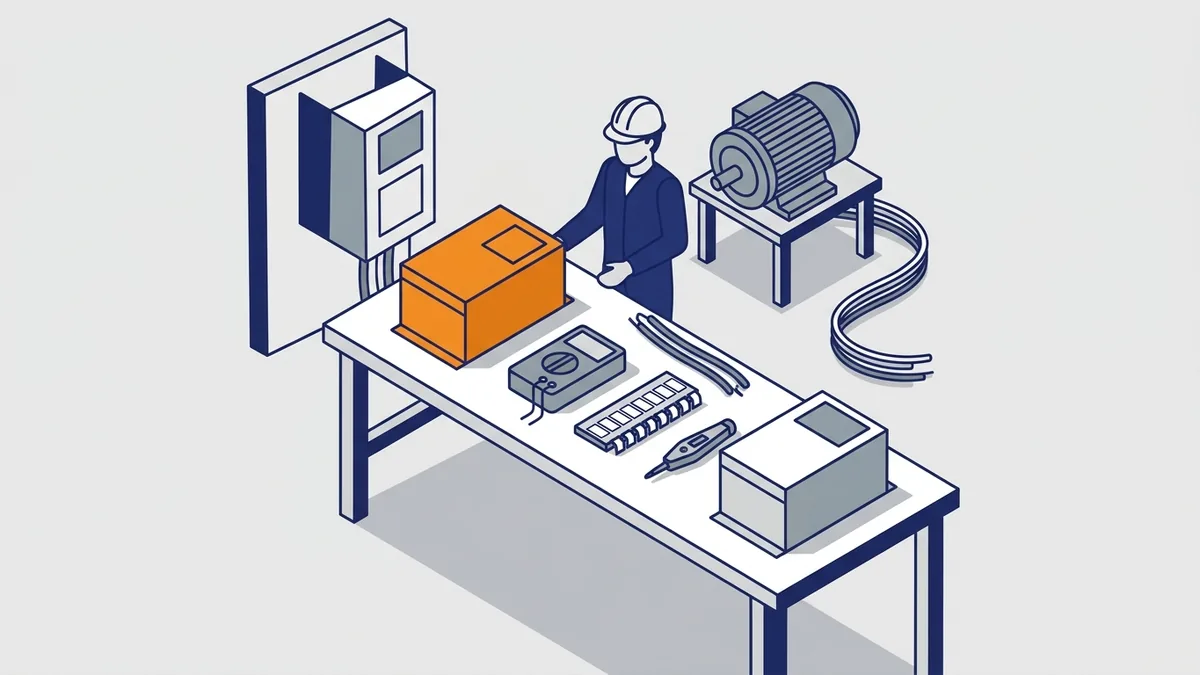
- Record the code, the fault number and the operating state.
- Decide whether it is a normal trip, such as U-Volt at power-down.
- Isolate and lock out. Inspect the supply, fuses, terminals, cooling and enclosure.
- Meter the supply voltage and phases.
- Check the motor cable and motor for shorts, balance and cable length.
- Check the load mechanically for a jam or drag.
- Compare the nameplate with P-08 and the other motor parameters.
- Check the control wiring, including the analog and E-trip inputs.
- Reset and watch whether the same code returns, and under what condition.
- If it returns with the motor disconnected, or the code points to hardware (memory, thermistor, power stage), stop and send the drive for repair.
This order works for most trips. In fact, steps 4 to 6 find the cause far more often than a parameter change does.
How do I use the trip log and fault counters to find repeat faults?
Parameter P00-13 holds the last 4 trips. Read it before you reset, because it shows the order of events. For example, an O-I followed by an O-t points to a load or cable problem that overheated the drive.
Parameters P00-33 to P00-41 are the fault counters. They count how often individual faults have occurred. A counter that keeps climbing on one fault, while the log shows different recent trips, points to an intermittent problem. Check the guide for what each counter covers.
When to repair or replace the drive
Send the drive for repair when the same trip occurs with the motor disconnected. Do the same when power stage or memory faults persist after a Stop key reset, or when a thermistor fault appears with good cooling. Visible damage is also a clear sign.
Can I repair an Optidrive E3 myself?
No. Invertek’s guide says not to attempt any repair of the drive. Also, do not open it or replace internal parts. Instead, check the supply, motor, cabling, load and settings, then use a qualified repair shop such as Precision Electric.
To decide between repair and replacement, compare a repair quote with the cost of a new drive. In addition, we stock many 0.5 HP E3 models in IP20 and IP66 versions, so browse the product list to match your input voltage and enclosure.
Where do I download the Optidrive E3 manual?
Go to the Invertek Drives Optidrive E3 documentation page. There, it offers the IP20 User Guide, the IP66 Indoor and Outdoor User Guides, the IP66 Quick Start Guide and the Fieldbus User Guide as PDFs. It also has CAD drawings, CE and UKCA declarations and brochures.

For parameter details and Modbus trip codes, get the Optidrive E3 Advanced Technical Manual. Hosted copies of the IP20 User Guide (V1.03) and the ODE-3 User Guide also exist, but match the revision to your drive.
Frequently asked questions
How do I reset an Invertek Optidrive E3 fault?
Fix the cause, then press the Stop/Reset key. You can also remove and reapply the enable input, or cycle the incoming power after it has fully dissipated. With Modbus or CAN control, toggle the reset bit from 0 to 1. Also, after O-I, hO-I or I.t-trp trips, the drive enforces a delay before reset: 2, 4, 8 and 16 seconds, then 32 and 64 seconds on later trips.
What does I.t-trp mean on an Optidrive E3?
It is the motor thermal overload trip. The drive delivered more than 100% of the P-08 motor current setting long enough for the overload accumulator to reach its limit. First, check actual motor current against P-08 and check the load for drag or jams. Then correct P-08 to the nameplate.
What causes an O-I fault on an Optidrive E3?
It is an instantaneous over-current on the drive output. For example, typical causes are excess load or shock load, a jammed machine, or a short in the motor or cable. With power isolated, check the motor and cable between output phases. Then check the load mechanically and the P-08 setting.
Why will my Optidrive E3 not reset right after a trip?
The drive has a built-in recovery delay for its power components. For O-I, hO-I and I.t-trp it is 2 seconds after the first trip, then 4, 8 and 16 seconds, and 32 and 64 seconds on later trips. So wait for the delay to pass before you reset.
What does U-Volt or O-Volt mean on an Optidrive E3?
U-Volt is under voltage on the DC bus. It is normal at power-down, but while running it points to a low supply. O-Volt is over voltage on the DC bus. First, check that the supply is within tolerance. If it trips on deceleration, lengthen the decel ramp or add a brake resistor.
Can I repair an Optidrive E3 myself?
Invertek’s guide says not to attempt to repair the drive. Instead, check the supply, motor, cabling, load and settings. If the fault persists with the motor disconnected, or it is a memory, thermistor or power stage fault, send the drive to a qualified repair shop.
Invertek Optidrive E3 fault codes are easier to handle when you match the code to your guide revision, record the operating state and work through the checks in order. Also, always fix the cause before you reset, and leave internal repairs to a qualified shop. If your drive keeps tripping, contact Precision Electric for a repair quote, or browse our E3 drives to find a replacement.