








Invertek VFDs: Optidrive Families, E3 Part Numbers and Selection
Invertek VFDs, sold under the Optidrive name, run everything from a 0.5 HP motor on 110 V power to large pumps and fans. However, model codes, enclosures and input options can make the right choice hard to spot. This guide explains each Optidrive family, how to read an E3 part number, what to check before you order, and when to repair or replace.
On this page
- What Invertek VFDs are and how the Optidrive range is organised
- Optidrive E3: the general-purpose Invertek VFD workhorse
- Choosing the right Optidrive VFD variant: input voltage, output phase and enclosure
- Can an Invertek VFD run a three-phase motor from 110 V or 230 V single-phase power?
- Is there an Invertek drive for single-phase motors?
- Our 0.5 HP Invertek VFD models with three-phase output
- Our 0.5 HP Invertek VFD models with single-phase output
- How to read an Optidrive E3 model number
- Which E3 models have the brake transistor, and how do I choose a brake resistor?
- Optidrive E3 fault codes and what to do
- Optidrive P2: high-performance Invertek AC drives
- Optidrive Eco: Invertek variable frequency drives for HVAC and pumps
- Which Invertek VFD fits your application?
- How do Invertek VFDs compare with other VFD brands?
- What should I check before ordering Invertek VFDs?
- Setup, software and documents for Invertek VFDs
- Is there a free software tool to program Invertek drives?
- How do I back up and copy parameters between Optidrives?
- Where do I find Invertek manuals, CAD drawings and quick start guides?
- Can an Optidrive E3 be mounted outdoors, and what are the temperature limits?
- IP20, IP66 non-switched and IP66 switched: which enclosure?
- Common mistakes with Invertek VFDs
- Cost, lead time and where to buy Invertek VFDs
- Troubleshooting Invertek VFDs, repair and when to call for help
- Frequently asked questions
What Invertek VFDs are and how the Optidrive range is organised
What are Invertek VFDs?
Invertek VFDs are variable frequency drives that Invertek Drives sells under the Optidrive brand. A variable frequency drive, or VFD, changes the frequency and voltage sent to an AC motor to control its speed. As a result, you get softer starts, speed that matches the load and lower energy use on fans and pumps. In addition, you will hear them called Invertek AC drives or Optidrive drives.
Which Optidrive series does Invertek make (E3, E4, P2, Eco)?
Invertek groups its range into three families on its VFD range page. First, the General Purpose family includes the Optidrive E3 and the newer Optidrive E4. Next, the High Performance family is the Optidrive P2. Finally, the Application Specific family covers the Optidrive Eco HVAC, Eco Pump and Elevator Core.
In addition, Invertek lists a few niche lines. For example, Coolvert drives brushless DC (BLDC) compressors and heat pumps, and the site also shows the Compact 2. Still, most buyers choose among the E3, P2 and Eco. So this guide focuses on those three Invertek VFDs.
Invertek VFDs ratings at a glance
The table gives each main family’s job and headline ratings. Use it to narrow your choice, then confirm the exact model in its user guide.
| Family | Main job | Power range | Input voltage | Enclosures |
|---|---|---|---|---|
| Optidrive E3 | General-purpose motor control | 0.37-37 kW (0.5-50 HP) | 110-480 V, single- and three-phase | IP20, IP66/NEMA 4X |
| Optidrive E4 | Newer general-purpose model | Check Invertek’s E4 pages | Listed on Invertek’s E4 pages | Confirm on Invertek’s E4 pages |
| Optidrive P2 | High performance, heavy duty | 0.75-250 kW (1-400 HP) | 200-600 V, single- and three-phase | IP20, IP55, IP66/NEMA 4X |
| Optidrive Eco | HVAC fans and pumps | 0.75-250 kW (1-400 HP) | 200-600 V, single- and three-phase | IP20, IP55, plus IP66 outdoor codes |
We stock the Optidrive E3, so this guide spends the most time on it. Invertek’s E3 support page also links to a comparison with the new Optidrive E4. Because we have not verified E4 ratings, check Invertek’s E4 pages for current specs. For more depth on one series, read our separate E3, P2, Eco and cabinet guides.
Optidrive E3: the general-purpose Invertek VFD workhorse
What power and voltage range does the Optidrive E3 cover?
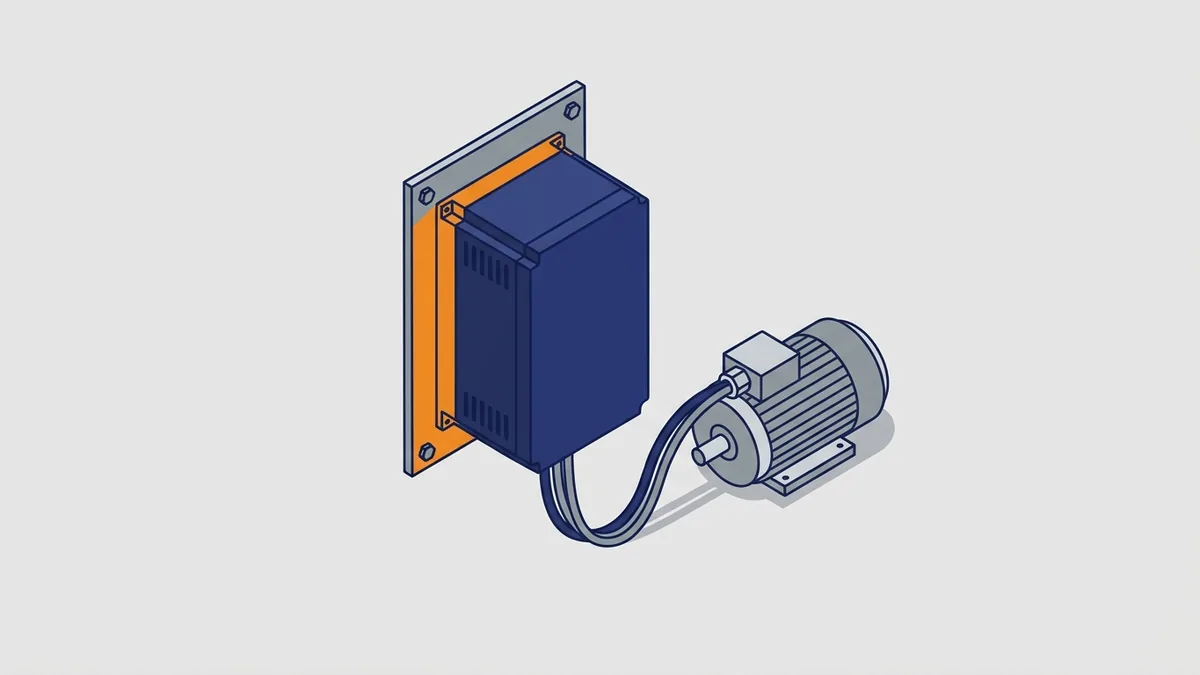
The Optidrive E3 covers 0.37-37 kW (0.5-50 HP) with 110-480 V single- and three-phase input. Also, it comes in IP20 and IP66/NEMA 4X enclosures. So among Invertek VFDs, the E3 is the usual pick for small motors and basic speed control. Below, the figures come from Invertek’s Optidrive E3 specification page.
| Item | Optidrive E3 rating |
|---|---|
| Supply voltage | 100-115 V, 200-240 V, 380-480 V (each ±10%) |
| Supply frequency | 48-62 Hz |
| Displacement power factor (how closely current tracks voltage) | Above 0.98 |
| Typical efficiency | Above 98% |
| Power cycles | 120 per hour maximum |
| Operating temperature, IP20 | -10 to 50 °C |
| Operating temperature, IP66 | -20 to 40 °C, or -20 to 50 °C with derating |
| Storage temperature | -40 to 60 °C |
Optidrive E3 output power by supply voltage
Your supply sets the power range you can choose from. Note that the 110 V models give a 230 V three-phase output.
| Supply | Output power | Note |
|---|---|---|
| 110 V single-phase | 0.5-1.5 HP | 230 V three-phase output |
| 230 V single-phase | 0.37-4 kW (0.5-5 HP) | Three-phase output |
| 230 V three-phase | 0.37-18.5 kW (0.5-25 HP) | Three-phase output |
| 400 V three-phase | 0.75-37 kW (1-50 HP) | Three-phase output |
| 460 V three-phase | 1-50 HP | Three-phase output |
How do I commission an Optidrive E3 quickly?
Commissioning means setting up and testing a drive for its first run. The E3 keeps this simple with a keypad and preset Industrial, Pump and Fan modes. For IP20 and IP66 non-switched models, the quick start needs only a switch and a speed pot.
- First, connect a start/stop switch between control terminals 1 and 2. Closed means start, and open means stop.
- Next, connect a 5-10 kΩ potentiometer (speed pot) across terminals 5, 6 and 7.
- Then enter the motor nameplate data and set your speed limits. The pot sets speed from P-02 (minimum frequency, 0 Hz by default) up to P-01 (maximum frequency).
Optidrive E3 control wiring basics
For control wiring, a digital input reads logic 1 at 8-30 V DC and logic 0 at 0-4 V DC. Also, the +10 V user output can supply the pot at 10 mA, with a 1 kΩ minimum load. In addition, the E3 offers Modbus RTU plus digital and analog inputs and outputs.
Our E3 training lessons cover the full wiring and parameter steps, so we do not repeat them here. During installation, always follow the user guide, local code (NEC) and a qualified electrician.
Which E3 mode suits pumps, fans and conveyors?
Start with the preset mode that matches your load. Use Pump or Fan mode for centrifugal pumps and fans, which are variable-torque loads. Use Industrial mode for constant-torque loads such as conveyors.
Whatever the load, enter the motor nameplate data first. Next, set the minimum and maximum frequency with P-02 and P-01, and set ramp times that suit the load. Then save a parameter backup. For exact parameter numbers and values, follow the E3 user guide.
Choosing the right Optidrive VFD variant: input voltage, output phase and enclosure
Most ordering mix-ups with Invertek VFDs come from three choices: input voltage, output phase and enclosure. Once you get those three right, the rest of the order is simple.
Can an Invertek VFD run a three-phase motor from 110 V or 230 V single-phase power?
Yes. The E3 accepts 110-115 V single-phase input and gives a 230 V three-phase output for 0.5-1.5 HP motors. It uses a voltage doubler, a circuit inside the drive that doubles the incoming supply voltage. Also, the 230 V single-phase input versions run three-phase motors from 0.5 to 5 HP.
In both cases, you must connect the motor for 230 V. So check the motor nameplate before you order.
Is there an Invertek drive for single-phase motors?
Yes. Invertek makes a separate E3 with single-phase output, the ODE-3 1Ph Output. Its quick start manual lists 0.37-1.1 kW (0.5-1.5 HP) at 110-230 V. Before you buy, check its user guide to confirm your motor suits the drive.
Whichever version you pick, match the drive output to the motor and the supply to the drive input. For example, a three-phase output drive will not run a single-phase motor. Likewise, never connect a 110 V input drive to a 230 V supply.
Our 0.5 HP Invertek VFD models with three-phase output
Our 0.5 HP range shows how these choices turn into part numbers. The amps match our product pages.
| Part number | Input | Output | Enclosure | Amps |
|---|---|---|---|---|
| ODE-3-110023-1012 | 100-120 V, 1-phase | 240 V, 3-phase | IP20 | 2.3 A |
| ODE-3-110023-101A | 100-120 V, 1-phase | 240 V, 3-phase | IP66 non-switched | 2.3 A |
| ODE-3-110023-101B | 100-120 V, 1-phase | 240 V, 3-phase | IP66 switched | 2.3 A |
| ODE-3-120023-1F12 | 208-240 V, 1-phase | 240 V, 3-phase | IP20 | 2.3 A |
| ODE-3-120023-1F1A | 208-240 V, 1-phase | 240 V, 3-phase | IP66 non-switched | 2.3 A |
| ODE-3-120023-1F1B | 208-240 V, 1-phase | 240 V, 3-phase | IP66 switched | 2.3 A |
| ODE-3-140012-3F1A | 400-480 V, 3-phase | 480 V, 3-phase | IP66 non-switched | 1.2 A |
| ODE-3-140012-3F1B | 400-480 V, 3-phase | 480 V, 3-phase | IP66 switched | 1.2 A |
However, Invertek’s E3 specification starts its 400 V and 460 V ranges at 1 HP. So confirm the rating of the 400-480 V units against the current user guide before you order.
Our 0.5 HP Invertek VFD models with single-phase output
These four drives suit single-phase motors. Again, the amps match our product pages.
| Part number | Input | Output | Enclosure | Amps |
|---|---|---|---|---|
| ODE-3-110070-1F12-01 | 100-120 V, 1-phase | 120 V, 1-phase | IP20 | 7.0 A |
| ODE-3-120043-1F12-01 | 208-240 V, 1-phase | 240 V, 1-phase | IP20 | 4.3 A |
| ODE-3-120043-1F1A-01 | 208-240 V, 1-phase | 240 V, 1-phase | IP66 non-switched | 4.3 A |
| ODE-3-120043-1F1B-01 | 208-240 V, 1-phase | 240 V, 1-phase | IP66 switched | 4.3 A |
The pages we checked do not explain the trailing “-01” on these part numbers. So check it against the ODE-3 1Ph Output user guide before you order.
How to read an Optidrive E3 model number
Each character in an E3 part number has a job. Here is how ODE-3-120023-1F12, one of our IP20 drives, breaks down.
| Field | Example | Meaning |
|---|---|---|
| Family | ODE-3 | Optidrive E3 |
| Frame size | 1 | Physical size of the drive |
| Input voltage | 2 | 1 = 110-115 V, 2 = 200-240 V, 4 = 380-480 V |
| Output current | 0023 | Rated amps x 10, so 0023 = 2.3 A |
| Input phases | 1 | 1 = single-phase, 3 = three-phase |
| EMC filter (cuts electrical noise) | F | F = internal EMC filter, 0 = none |
| Brake transistor (sends braking energy to a resistor) | 1 | 1 = not fitted, 4 = internal transistor |
| IP rating | 2 | 2 = IP20; letters mark IP66 versions |
The last character needs the most care. The split is by guide version, not by output phase. Older E3 guides, including the older single-phase-output guide (Rev 1.02), use X for IP66 non-switched and Y for IP66 switched. Newer guides use A and B, including the E3 IP66 Outdoor guide (v1.21/1.23) and the single-phase-output guide v2.02. The newer guides also define C (IP66 with local controls) and E (IP66 with switch-disconnector).
Our listings use A and B, as in the 1F1A, 1F1B, 101A and 101B endings. So if an old drive or quote shows X or Y, it points to the same enclosure style. Still, confirm the full code in the user guide.
Which E3 models have the brake transistor, and how do I choose a brake resistor?
Read the brake digit in the model code. A 4 means the drive has an internal brake transistor, and a 1 means it has none. For example, the 1 in ODE-3-120023-1F12 shows no transistor, so that drive cannot use a brake resistor. For a P2, check the model’s user guide, because we have not confirmed which P2 codes include it.
A brake resistor burns off the energy a motor sends back when it slows a heavy or high-inertia load. To choose one, first check the minimum resistance value in the drive’s user guide, and never go below it. Next, size the resistor’s power rating for how often and how hard you brake. If you are unsure, send us the drive model and the load details.
Optidrive E3 fault codes and what to do
What do common Optidrive fault codes mean?
Fault codes show on the keypad when the drive trips. The table lists common codes and first checks. Codes and reset steps vary by model, so confirm each one in your user guide’s fault table.

| Code | Likely meaning | First checks |
|---|---|---|
| O-I | Output overcurrent | Check for a motor or cable short, a jammed load or a ramp time that is too short |
| I.t-trP | Motor overload over time | Check the motor current setting, the load and the motor cooling |
| O-Volt | DC bus overvoltage | Lengthen the deceleration ramp or add a brake resistor if the drive supports one |
| U-Volt | DC bus undervoltage | Check the supply voltage and the input wiring |
| O-t | Heatsink over temperature | Clean the fins, check the fan, and improve airflow and clearance |
Optidrive P2: high-performance Invertek AC drives
What is the Optidrive P2 and when should I choose it?
The Optidrive P2 sits at the top of the Invertek VFDs range for demanding jobs. It covers 0.75-250 kW (1-400 HP) with 200-600 V single- and three-phase input. Also, enclosures include IP20, IP55 and IP66/NEMA 4X, and every model has a built-in EMC filter.
Every P2 carries a heavy-duty rating of 150% for 60 seconds and 200% for 4 seconds. An overload rating is the extra current a drive can deliver for a short time. In addition, the P2 offers advanced control for induction and permanent magnet (PM) motors. It also adds integrated PLC functions and optional encoder modules.
Optidrive P2 power range by supply
| Supply | Output power |
|---|---|
| 230 V single-phase | 0.75-7.5 kW (1-10 HP) |
| 230 V three-phase | 0.75-75 kW (1-100 HP) |
| 400 V three-phase | 0.75-250 kW |
| 575 V three-phase | 0.75-110 kW (1-150 HP) |
Choose the P2 for cranes, conveyors, crushers and other high-starting-torque loads. It also fits jobs that need precise speed or torque control, encoder feedback or PLC logic in the drive. For example, the P2 user guide lists 200-240 V single-phase models of 0.75 kW (4.3 A), 1.5 kW (7 A) and 2.2 kW (10.5 A). At the top end, a 250 kW frame size 8 model delivers 450-480 A.
Optidrive Eco: Invertek variable frequency drives for HVAC and pumps
What is the Optidrive Eco and what does it add for HVAC and pumps?
Of all Invertek VFDs, the Optidrive Eco is the one built for pumping and HVAC. It covers 0.75-250 kW (1-400 HP) with 200-600 V single- and three-phase input in compact IP20 and IP55 enclosures. Its model code also includes IP66 outdoor versions. Finally, CE, UL and RCM marks appear on its features page.
BACnet and Modbus RTU come on board as standard, so the Eco can talk to a building management system. Invertek offers HVAC and Pump variants. Also, features include pump staging, pump clean, resonance avoidance, fire mode and PID control, which holds a set pressure or flow.
Eco motor control modes and overload rating
The Eco has two motor control modes. ECO Vector Speed Control (VT) suits variable-torque loads such as centrifugal fans and pumps. In contrast, CT mode suits constant-torque loads such as displacement pumps or belt-driven fans. In addition, current monitoring flags a blocked or dry pump, a broken impeller or restricted airflow.
Invertek’s current Eco spec page lists a normal-duty overload of 110% for 75 seconds, and 150% for 15 s (constant torque) or 1 s (variable torque). The 110%/60 s figure appears in older brochures and guides, so confirm the rating in the Eco user guide. For heavy overloads such as crushers or cranes, choose the P2 instead. Also, in the Eco model code, N means IP55, A means IP66 outdoor non-switched and E means IP66 outdoor with a disconnect.
Which Invertek VFD fits your application?
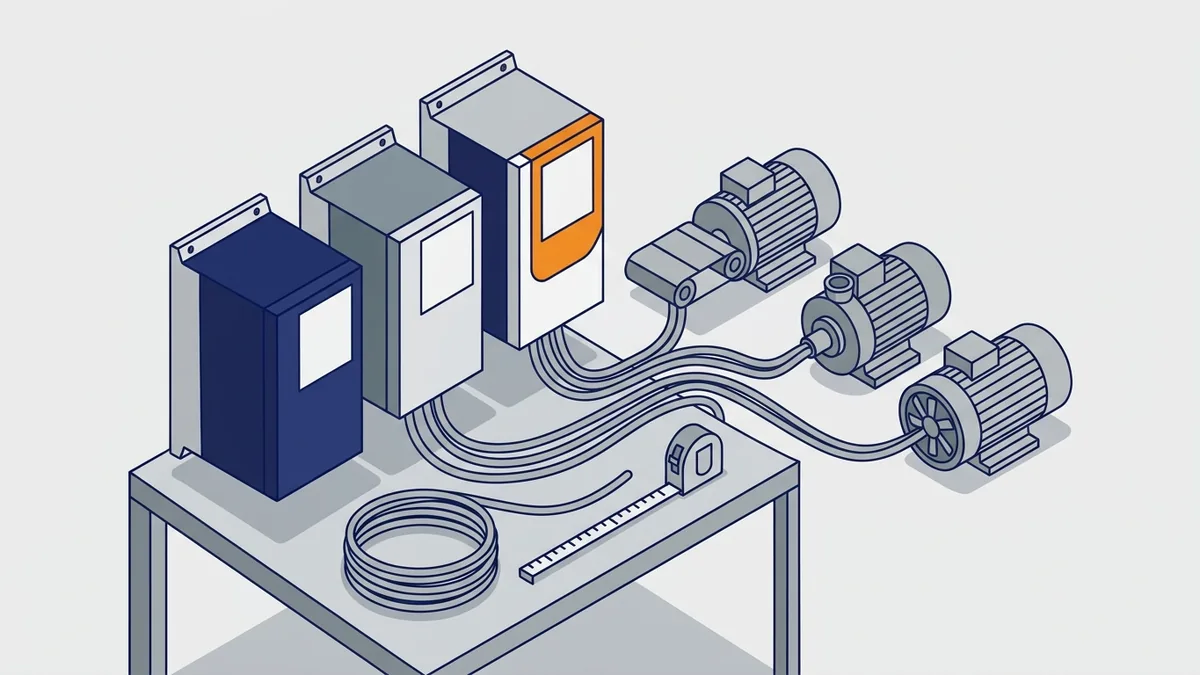
Use this table to match Invertek VFDs to common jobs. Then confirm the model against its user guide.
| Application | Best fit | Why |
|---|---|---|
| Small general-purpose motor, light conveyor or mixer | E3 | Simple setup, 0.37-37 kW |
| Three-phase motor on single-phase power | E3 with 110 V or 230 V single-phase input | Three-phase output from a single-phase supply |
| Single-phase motor | E3 single-phase output | Built for single-phase motors |
| Fan or pump on a building system | Eco | BACnet and Modbus RTU on board |
| Heavy duty, PM motor, encoder feedback or PLC logic | P2 | 150% for 60 s, advanced motor control |
| Outdoor or washdown, small motor | E3 IP66 | NEMA 4X; P2 and Eco also offer IP66 |
Size Invertek VFDs by full-load amps, not horsepower
Match the drive to the motor’s full-load amps (FLA), not just its horsepower. Two motors with the same HP can draw different current. So read the nameplate and pick a drive whose rated output current covers the FLA.
Next, confirm the supply voltage and phase, plus the motor voltage and connection. A star (wye) or delta connection sets the motor voltage, so it must match the drive output. Finally, decide if the load is variable torque, like a centrifugal fan, or constant torque, like a conveyor.
Invertek Optidrive drives for single-phase power
On single-phase power with a three-phase motor, choose an E3 with 110 V or 230 V single-phase input. However, if the motor itself is single-phase, choose the E3 single-phase-output version instead. Both appear in our 0.5 HP tables above.
How do Invertek VFDs compare with other VFD brands?
Invertek VFDs do the same basic job as drives from ABB, Yaskawa, Danfoss and other makers. So the fair way to compare them is by selection criteria, not reputation. Because the right choice depends on the exact model and job, we do not rank brands here.
For a start, Invertek’s own pages highlight these points:
- Simple commissioning with preset modes and a keypad
- IP66/NEMA 4X enclosures across the E3, P2 and Eco
- A built-in EMC filter on every P2, and on E3 models with the F code
- A range that starts at 0.37 kW, including 110 V single-phase input
- An Eaton replacement VFD lookup on the Invertek Store
Then, for any brand, check these points on the exact model’s datasheet:
- Input voltage and phase options
- IP rating options
- Fieldbus included as standard
- Overload class (normal duty or heavy duty)
- Parameter count and control features
Our ABB VFD guide uses the same side-by-side approach if you are weighing a second brand. In either case, put both datasheets next to each other and compare them line by line.
What should I check before ordering Invertek VFDs?
Run through this checklist before you order Invertek VFDs. It catches the most common ordering errors.
- Supply voltage and phase at the drive location
- Motor nameplate voltage, FLA and star or delta connection
- Output phase needed: three-phase or single-phase motor
- Enclosure: IP20, IP66 non-switched or IP66 switched
- EMC filter and brake transistor needs
- Fieldbus, such as Modbus RTU or BACnet
- Control wiring, including 8-30 V DC for a digital input logic 1
- Ambient temperature at the mounting spot
- Mounting space and cooling clearance
- Fuse and cable sizes from the user guide
For 110 V input drives, remember that the voltage doubler gives a 230 V output. Also, check the short-circuit current ratings and fuse tables in the user guide. The E3 guide states that the drive provides motor overload protection in line with the US National Electrical Code (NEC). So read the guide for the overload settings, and order by the full ODE-3 code, not only by horsepower.
Setup, software and documents for Invertek VFDs
Is there a free software tool to program Invertek drives?
Yes. Optitools Studio is free PC software that works with Invertek VFDs, and you can download it from the Invertek Drives website. It handles commissioning, parameter upload and download, storage, printing and changed-parameter highlighting. In addition, it gives access to function-block PLC programming and supports multi-drive networks.

Optitools Studio runs on Windows 7 SP1, 8.1, 10 and 11, and it auto-updates by default. However, you must buy a licence to store or upload programs made in the Function Block Editor. For setup help, read the Optitools Studio guide on Invertek iKnow.
How do I back up and copy parameters between Optidrives?
Invertek recommends saving a parameter copy for each drive in your plant. First, you can do this in Optitools Studio on a PC. Another option is the OptiStick Smart, a small tool that copies, backs up and restores drive parameters.
The OptiStick Smart connects by Bluetooth to a PC with Optitools Studio or a phone with Optitools Mobile. It also uses NFC, the tap-to-share link on phones, for data transfer. Meanwhile, the Optitools Mobile app handles parameter files and wireless commissioning on iOS 11 or later or Android 6.0 or later.
Where do I find Invertek manuals, CAD drawings and quick start guides?
Download documents from the support resources pages on the Invertek Drives website rather than third-party manual sites. For example, the Optidrive E3 documentation and downloads page lists:
- E3 IP66 Quick Start Guide
- IP20 User Guide for the E3
- Indoor User Guide for the E3 IP66
- Outdoor User Guide for the E3 IP66
- Sun Shade User Guide for the E3 IP66
- CAD drawings by frame size
The Optidrive P2 documentation page lists the P2 User Guide for the 0.75-250 kW, 200-600 V range. Also, the Optidrive Eco documentation page adds a BACnet and IP Configuration Tool user guide and the Optidrive Passport. The Passport bundles the datasheet, ecodesign data, factory test certificate and product documents. For a first E3 start-up, use our E3 training lessons 1-4.
Can an Optidrive E3 be mounted outdoors, and what are the temperature limits?
Yes, the IP66 versions suit outdoor sites. They run from -20 to 40 °C, or up to 50 °C with derating, which means running at reduced output current. IP20 models run from -10 to 50 °C, but they need a panel for protection.
For sites in direct sun, Invertek offers the IP66 Sun Shade User Guide on the Optidrive E3 documentation and downloads page. In addition, follow the IP66 Outdoor User Guide for mounting details.
IP20, IP66 non-switched and IP66 switched: which enclosure?
An IP rating tells you how well an enclosure keeps out dust and water. IP20 drives belong inside a control panel or cabinet. By contrast, IP66 drives, also rated NEMA 4X, suit washdown, dusty and outdoor areas.
| Enclosure | Where it fits | Controls on the drive |
|---|---|---|
| IP20 | Inside a panel or cabinet | Keypad; wire start/stop and speed to the terminals |
| IP66 non-switched | Washdown, dust, outdoors | No local controls; takes remote start/stop and speed signals |
| IP66 switched | Washdown, dust, outdoors, with local operation | Local speed pot, run forward/off/run reverse switch, UL-rated lockable disconnect |
Choose switched when an operator needs to run the motor at the drive itself. By contrast, choose non-switched when a PLC or remote station sends the commands. Also, the IP66 range has two RJ45 ports, an easy-to-reach EMC disconnect and a removable gland plate.
Common mistakes with Invertek VFDs
Most problems with Invertek VFDs start at ordering or first start-up. Watch for these mistakes:
- Ordering by HP alone. Check input voltage and output phase too, such as 110 V versus 230 V input or single-phase versus three-phase output.
- Wrong supply or motor connection. Wiring a 110 V input drive to a 230 V supply can damage it. Also, a star or delta connection that does not match the drive output voltage causes trouble.
- Forgetting that IP66 non-switched has no local controls. You need remote start/stop and speed signals to run it.
- Picking the wrong family. The Eco is not for heavy-overload duty. Likewise, use the P2, not the E3, when the job needs advanced torque control.
- Leaving default parameters. Enter motor nameplate data, ramps and minimum and maximum frequency, then save a parameter backup.
- Running fans or pumps above motor rated frequency. The Eco guide says P1-01 maximum frequency should generally match the motor rated frequency. However, going higher needs approval from the motor maker and the fan or pump maker.
Cost, lead time and where to buy Invertek VFDs
What does an Invertek VFD cost and where can I buy one?
Cost depends on the full model code, enclosure and options, so we do not quote prices here. For example, an IP66 switched drive adds local controls and a disconnect that an IP20 drive lacks. Also, lead time varies by model, so check our product pages or ask us for a quote.

Precision Electric sells the 0.5 HP Optidrive E3 in IP20, IP66 non-switched and IP66 switched versions. The range includes 100-120 V and 208-240 V single-phase input models, plus 400-480 V three-phase input models. Several come with single-phase output for single-phase motors. In addition, our shop repairs drives, including Invertek VFDs.
Can Invertek drives replace Eaton drives?
Invertek offers a tool for this job. The Invertek Store lists an Eaton replacement VFD lookup in its menu to help you find an Optidrive match. Then compare supply voltage, motor FLA, enclosure, control wiring and mounting space before you swap.
Also, record the old drive’s settings before you remove it, because you must enter them again on the new drive. Carry over these items:
- Motor nameplate voltage, current, frequency and speed
- Minimum and maximum frequency
- Acceleration and deceleration ramp times
- Start/stop and speed reference method, plus any relay or analog output use
- Any fieldbus settings, such as address and baud rate
Troubleshooting Invertek VFDs, repair and when to call for help
Start with the fault code on your Invertek VFD
When one of your Invertek VFDs trips, record the fault code on the keypad first. Then look it up in the fault code table in the user guide, and use the common codes above as a starting point. Next, check the supply voltage, the motor and its wiring, and the parameter set.
On Eco drives, current monitoring faults such as O-Torq and U-Torq point to a mechanical cause. For example, a blocked pump, restricted airflow or a broken belt or coupling can trigger them. So inspect the driven equipment before you suspect the drive.
When should I repair or replace an Invertek drive and when should I call for help?
The E3 user guide tells users not to attempt repair of the drive. However, Invertek does publish an E3 service manual, with a listing that covers frame sizes 3 and 4. So leave internal repairs to a drive repair shop.
Send the drive for repair or replacement in these cases:
- It keeps tripping after you check the wiring, motor and parameters
- It shows visible damage, such as burn marks
- The power stage, the output section that drives the motor, has failed
- You cannot find the cause from the fault code table
Call a qualified electrician or our repair team whenever you are unsure. Also, follow the user guide and the NEC for any work on Invertek VFDs.
Frequently asked questions
What Invertek VFD series are there and what is each for?
The Optidrive E3 and newer E4 are the general-purpose Invertek VFDs. The P2 is the high-performance drive for demanding jobs, and the Eco handles HVAC and pump control. Also, Invertek makes elevator and compressor drives.
Does Invertek make a VFD that runs on 110 V single-phase power?
Yes. The Optidrive E3 accepts 110-115 V single-phase input and, through a voltage doubler, gives 230 V three-phase output for 0.5-1.5 HP. In addition, there is an E3 version with single-phase output for single-phase motors.
What does the A or B (or X or Y) in an Optidrive E3 part number mean?
It is the enclosure code, and 2 means IP20. The letters depend on the guide version. Older guides use X for IP66 non-switched and Y for IP66 switched, while newer guides use A and B for the same two types. Also, switched versions add a local speed pot, a forward/off/reverse switch and a lockable disconnect.
Is Optitools Studio free?
Yes. It is a free download from Invertek for PCs running Windows 7 SP1 through Windows 11, and it handles parameter backup and printing. However, you need a licence to store or upload programs made with the PLC function block editor.
Should I pick an E3, P2 or Eco drive?
Choose the E3 for general-purpose motor control and small sizes. For centrifugal fans and pumps on building systems, pick the Eco, since it has BACnet and Modbus RTU on board. Finally, the P2 suits jobs that need heavy-duty overload (150% for 60 seconds), advanced motor control or PLC logic in the drive.
Invertek VFDs give you three main paths: the E3 for general-purpose and single-phase jobs, the P2 for heavy duty and advanced control, and the Eco for HVAC and pumps. Before you order, check the full model code, supply, motor FLA and enclosure, and keep a parameter backup for every drive. If you need help choosing a drive, a quote or a repair, contact Precision Electric or browse our Optidrive E3 range.